Team View
In 2020, CallRail released a new version of their Lead Center product. It's a lead management platform that funnels in all interaction types; calls, text, chat, and forms (for now).
CallRail
/
UI/UX Designer
/
Jun 2020 - Dec 2020
Overview
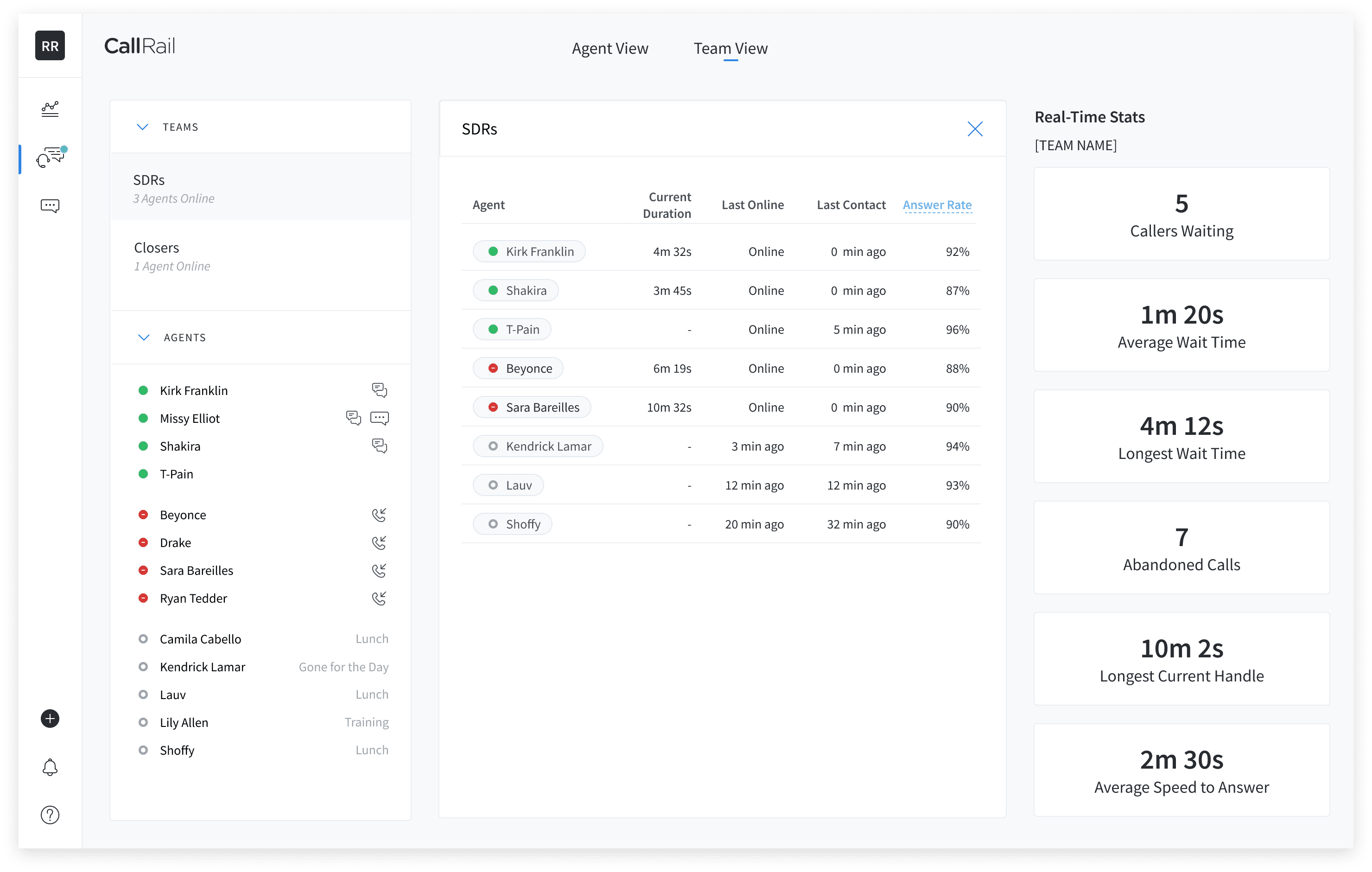
Lead Center is more than just a phone platform. Multiple agents are online interacting with customers through a variety of interactions. The teams feature was included quickly after, and it became apparent that seeing an overview of what's happening in Lead Center was needed.
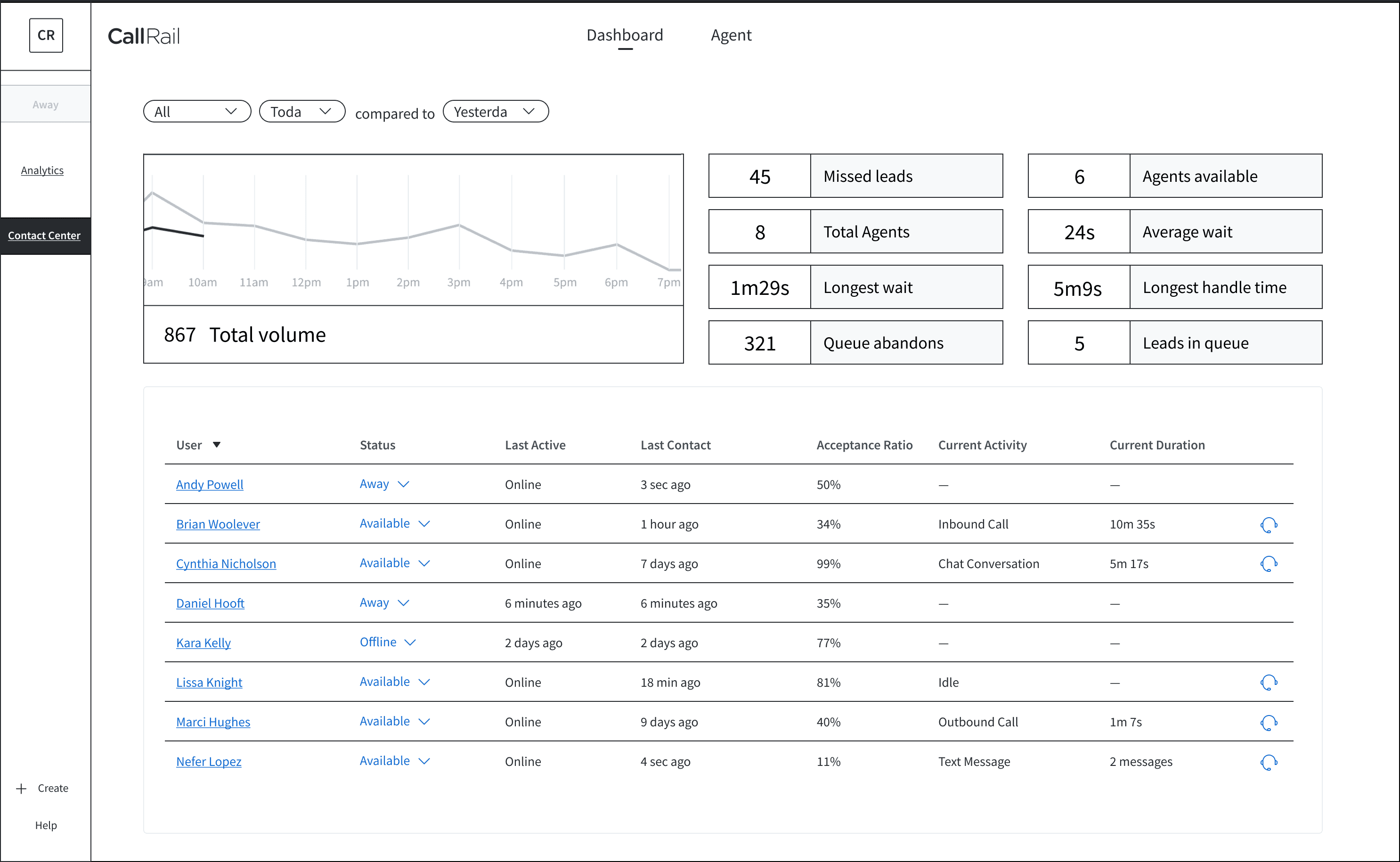
The goal was to design a view that would let admins and managers see the general health of the interaction funnels and how agents are performing. Building a dashboard is an expensive endeavor, but it seems to be a necessary one. The hesitation was that the initial idea of this dashboard may not be surfacing the necessary information. The other sentiment was to bring a little more excitement/purpose to view versus what you would see on a general dashboard.

Research and validation
We spoke with our VP of Customer Experience and a Sales Manager. We wanted their feedback on whether or not the current metrics surface in this dashboard view would be beneficial. We also learned more about their teams' functions to understand how a dashboard view would play into their workflows.
Main points
#1
A dashboard is beneficial for smaller-sized Customer Experience teams.
#2
For larger sales teams (more call center-like), seeing a dashboard like this is helpful. The current way CallRail does it, the dashboard information is more likely to be reviewed by Manager or Lead to take back to their team.
#3
Adjusting other Agent or Representative status (or having Agent Busy Codes) is important for accurate agent presence.
#4
Overview of current call flows (high-level metrics) and agent status' provides more transparency and helps with keeping call flows on track/opened.
Narrowing the path
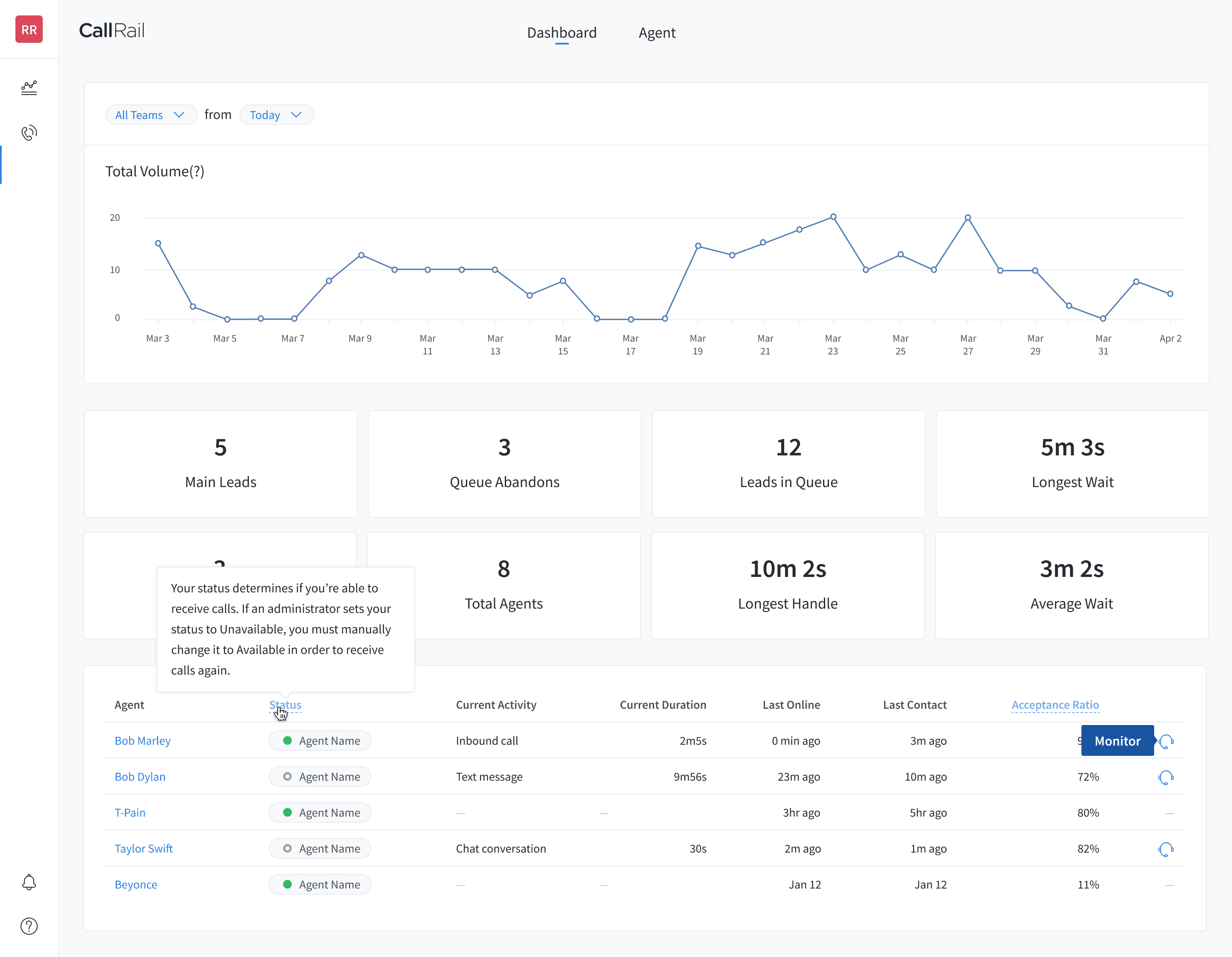
Slight adjustments were made to the initial dashboard design (i.e., metric reordering, UI enhancements), while another concept was developed.
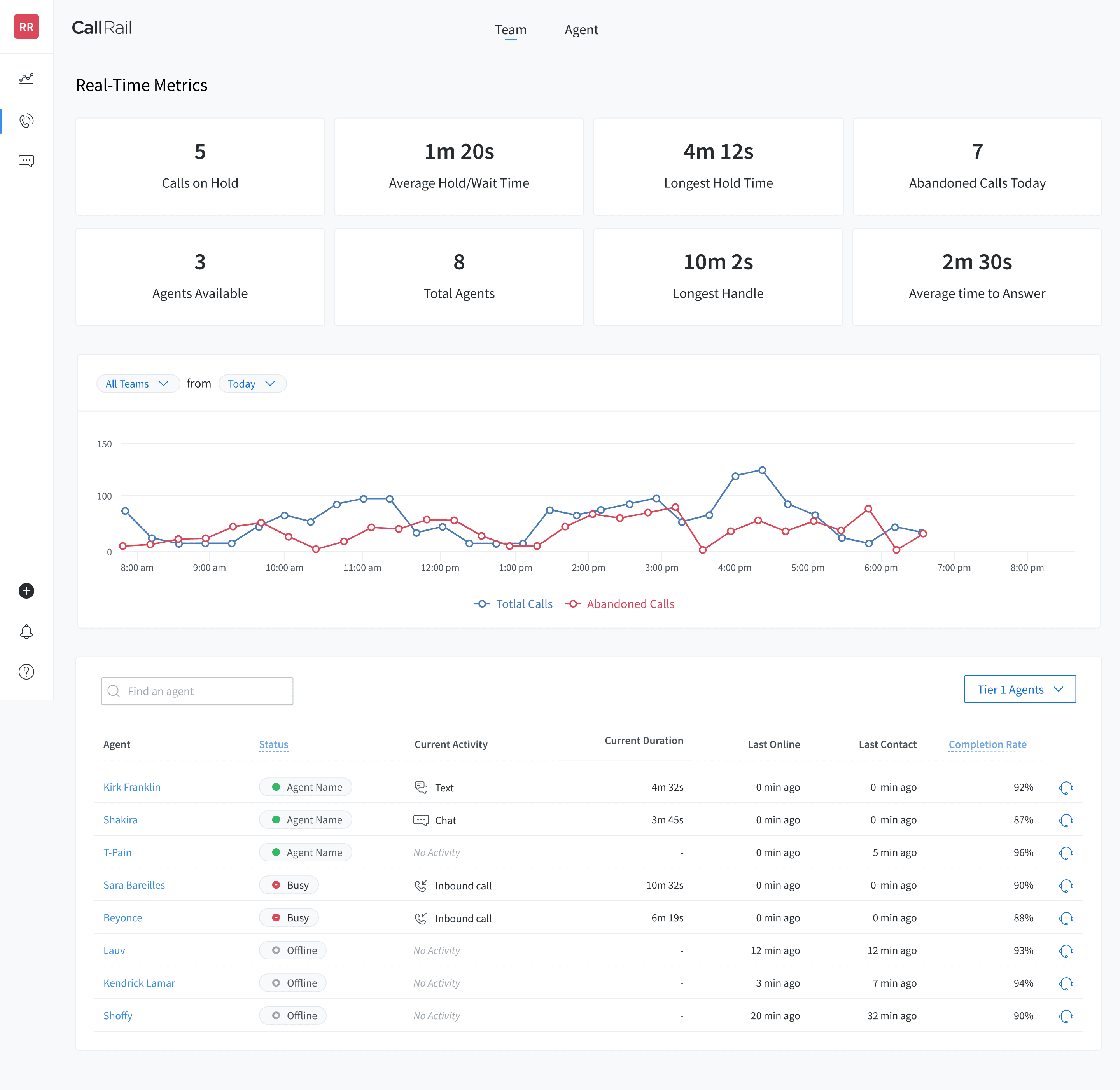
Thinking about agent and sales rep workflows led us to a different concept of an "Agent Overview." Working through various iterations, we landed a concept that explores a more holistic view of Teams and All Agent Status'.
In the first iterations on this idea, I explored making the Inbox persistent across pages. This view only surfaced Incoming and Active interactions to emphasize what is happening in real-time.
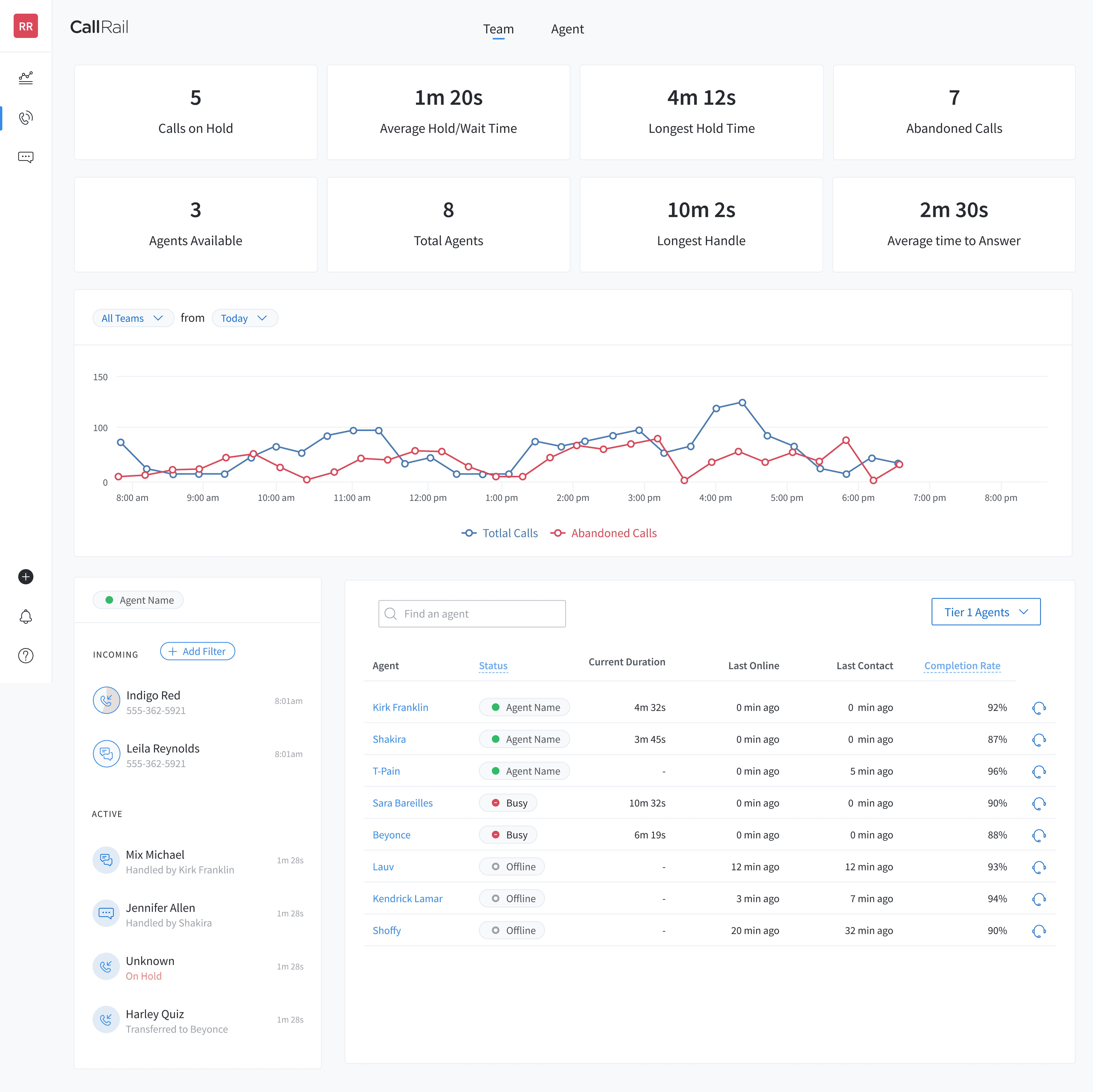
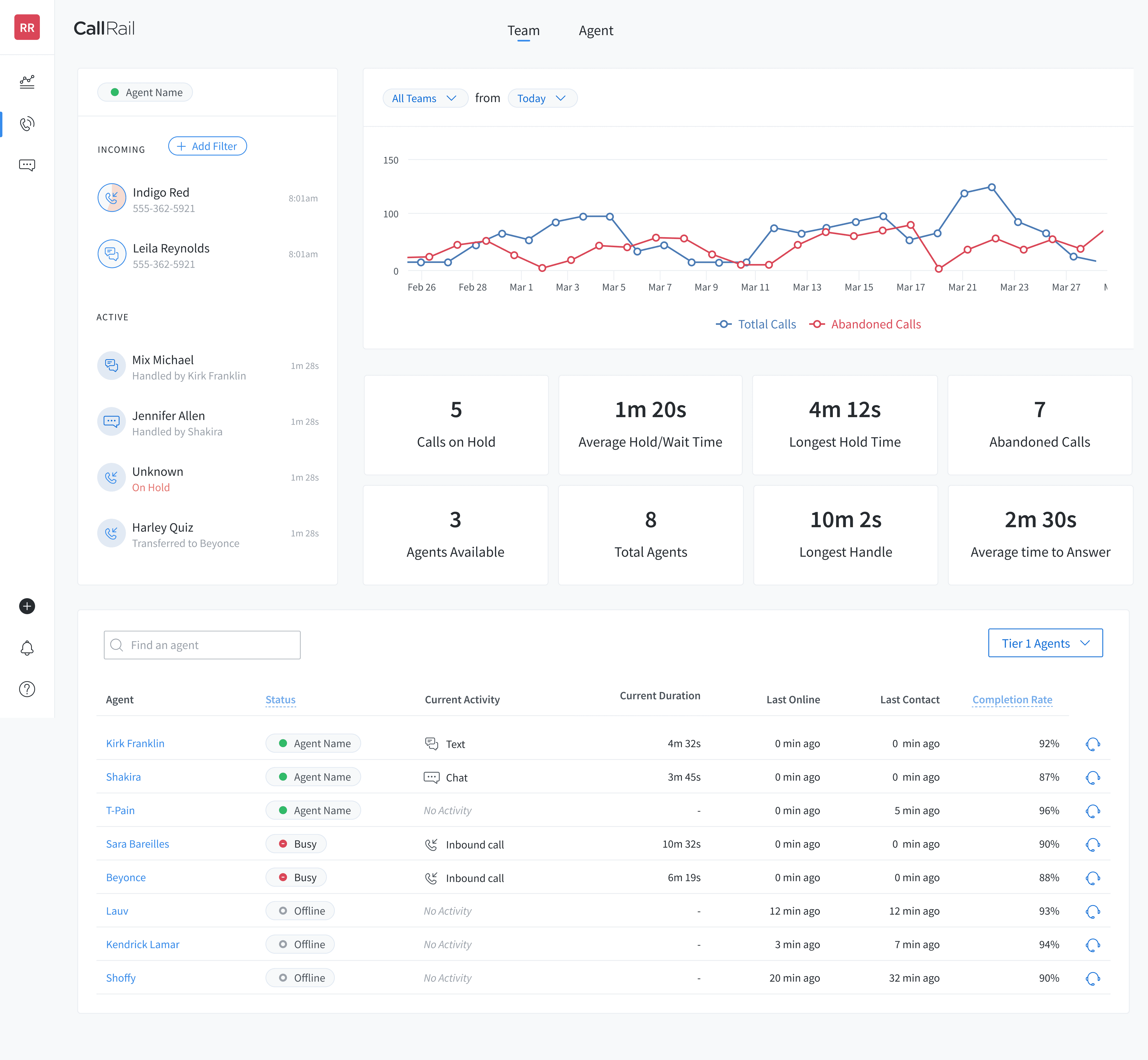
After a feedback session with other designers, having the Inbox seemed like a redundant element in this view when the information is the same as Agent View.
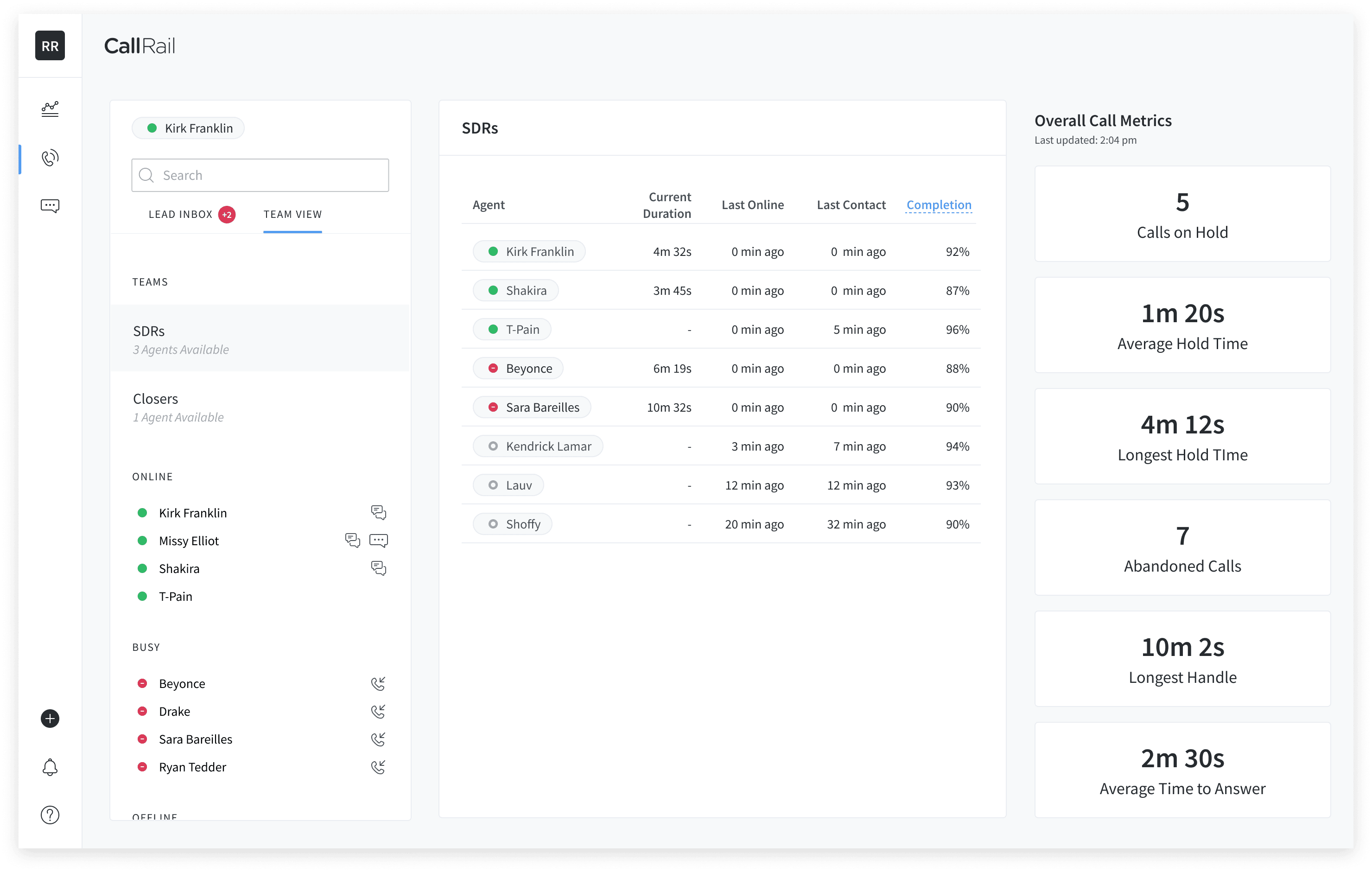
Designing jamming is a favorite thing of mine! With other designers, we worked on restructuring so that the layout reflects the current Agent Tool layout. Navigating between the views was contained in the Inbox because of how the current interaction works. The Inbox changes the middle panel's view.
Putting them to the test
We spoke with a few individuals that were using the Lead Center Beta app (at the time) and others who were potential customers. Our goal was to understand our customer's workflows and see which concept could provide more value to those workflows.
The biggest takeaway from our test was the differentiation between Real-Time Metrics and Reporting Metrics. The former provides live (or real-time) information of how interactions and agents are doing. While the latter was an aggregation of data over time. We noticed 2 types of audiences emerged from here: marketing analytics and call handling/sales performance.
We realized Team View designs are a better fit for Lead Center users. This is because of the actionable metrics and lead management workflows. The dashboard concept fell into the realm of reporting, a more fitted workflow for our analytics product. We even heard feedback from testers saying:
"I already have this function in CallRail (analytics)."
Team view for Lead Center
With feedback from our users and business stakeholders, we had a few iterations and adds that were made all the way to development.
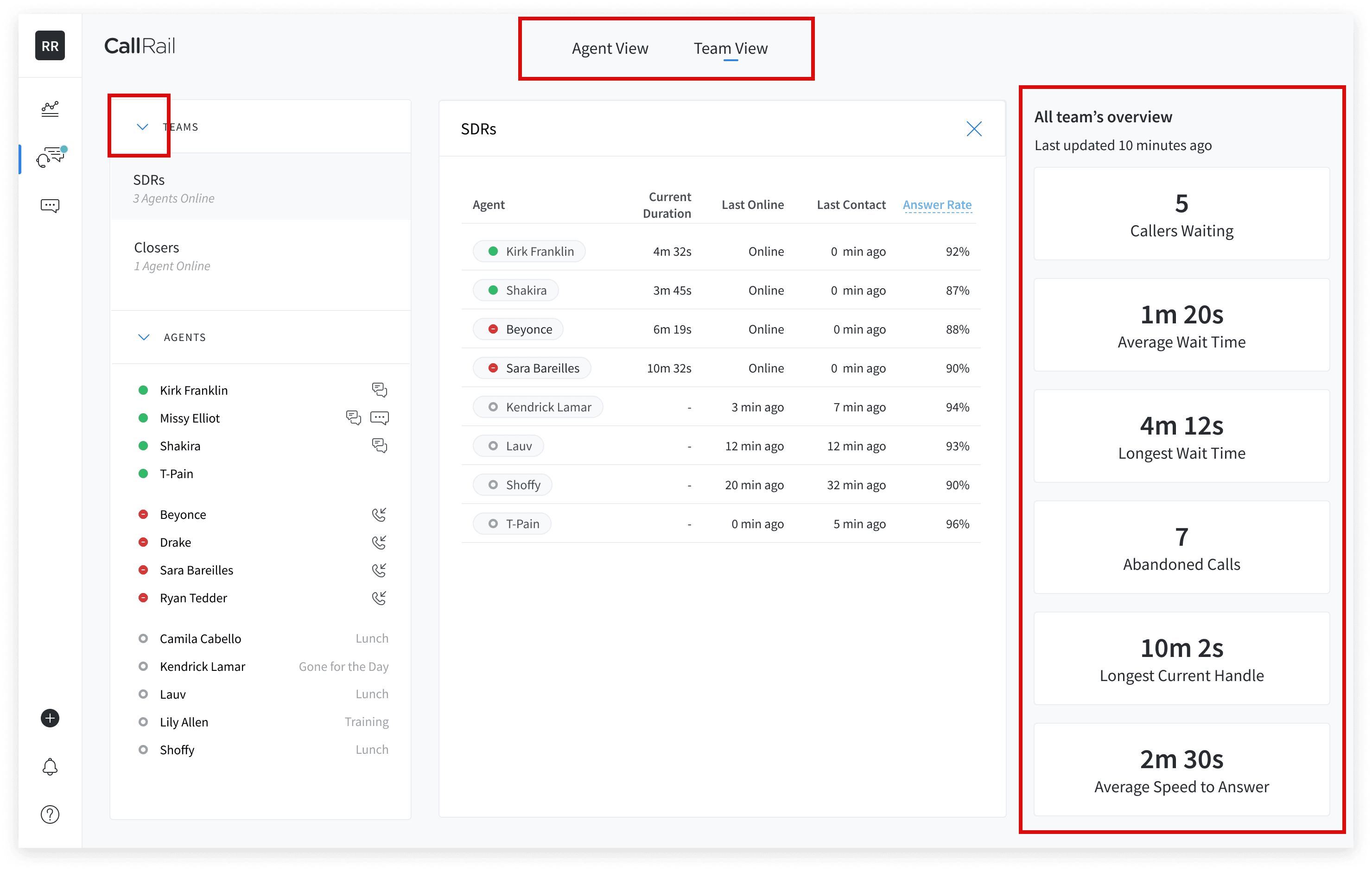
Reverted back to the top navigation between Agent View and Team View follows our other app's navigation pattern.
Team and Agent lists can be toggles opened and closed to account for long lists.
If there are no metrics to show, we surface a blank state with product and onboarding information.
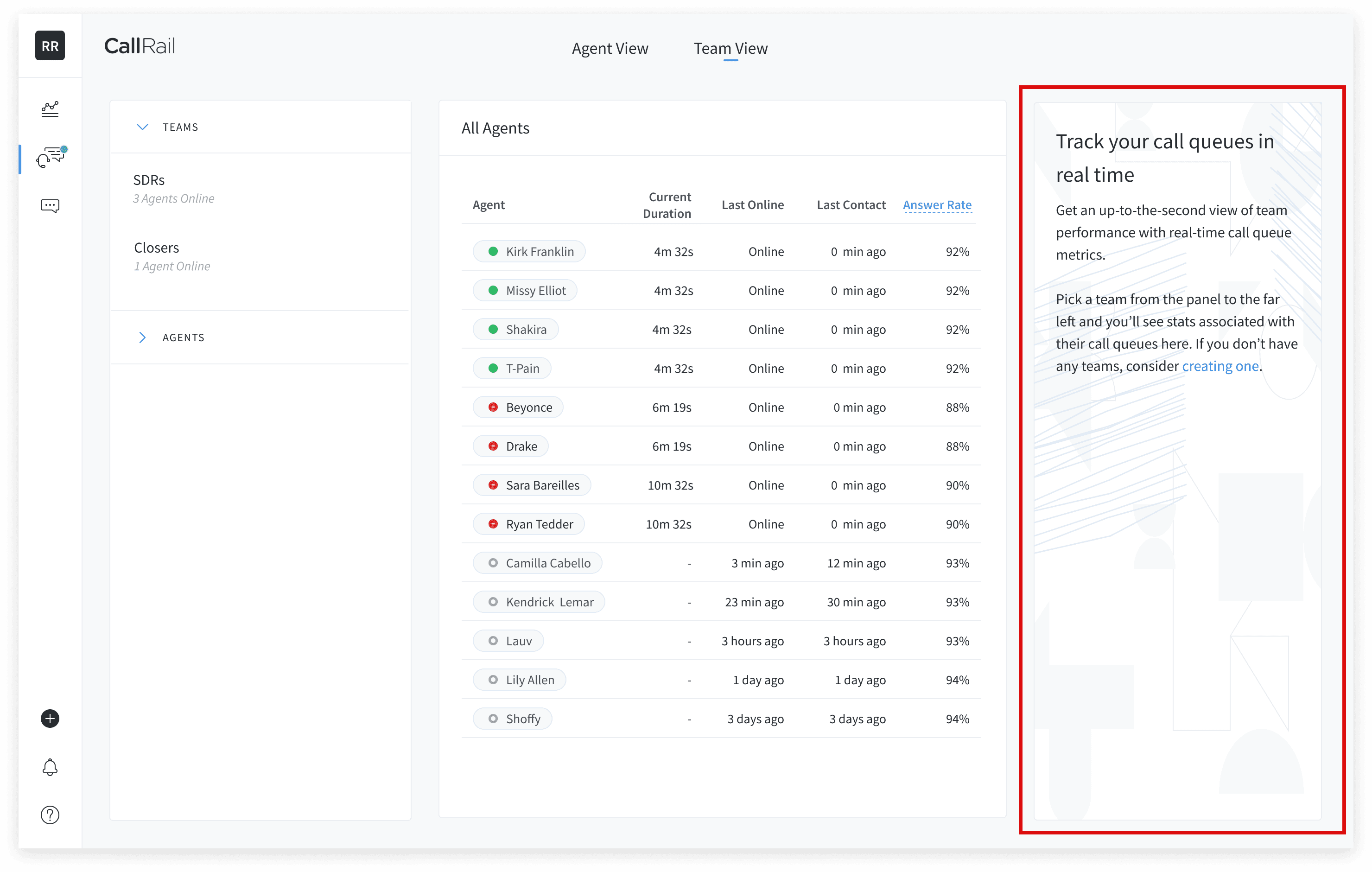
Feature breakdown
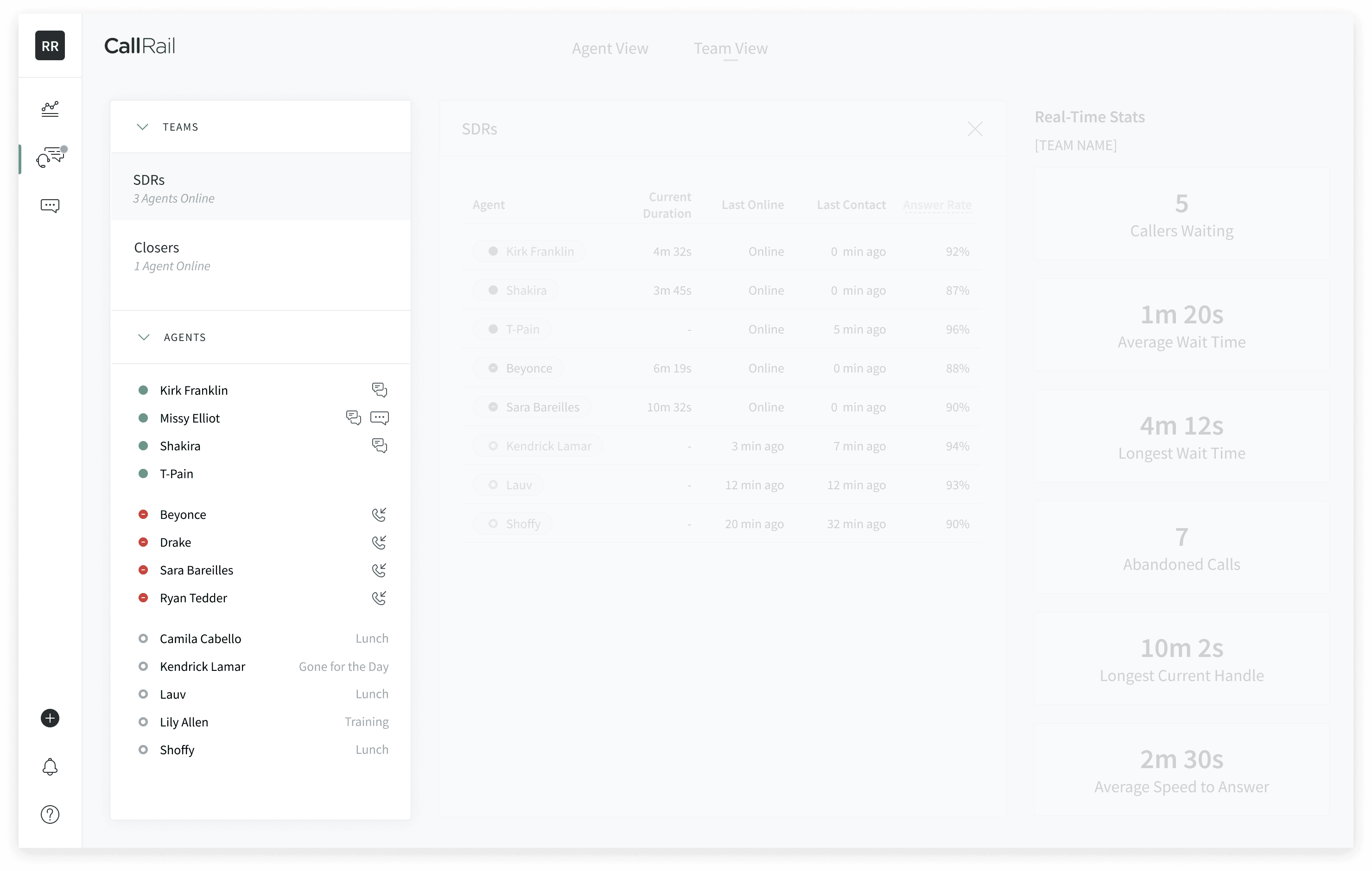
List of Teams and then all the agents and their status (and their current interaction if they are on one)
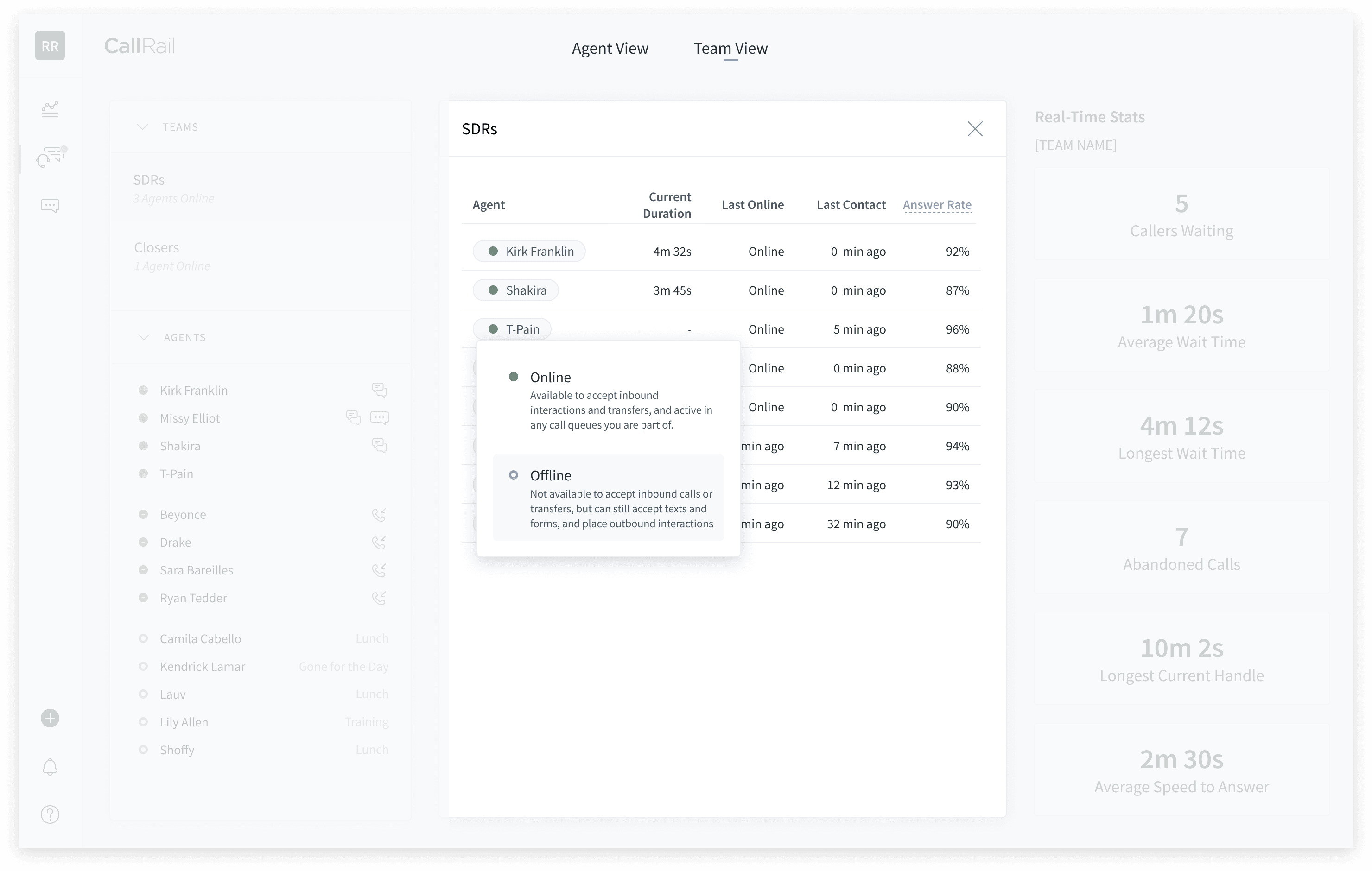
Middle Panel will let you see a list of agents in a specific team and real-time metrics. Admins and Managers can change the status of an agent.
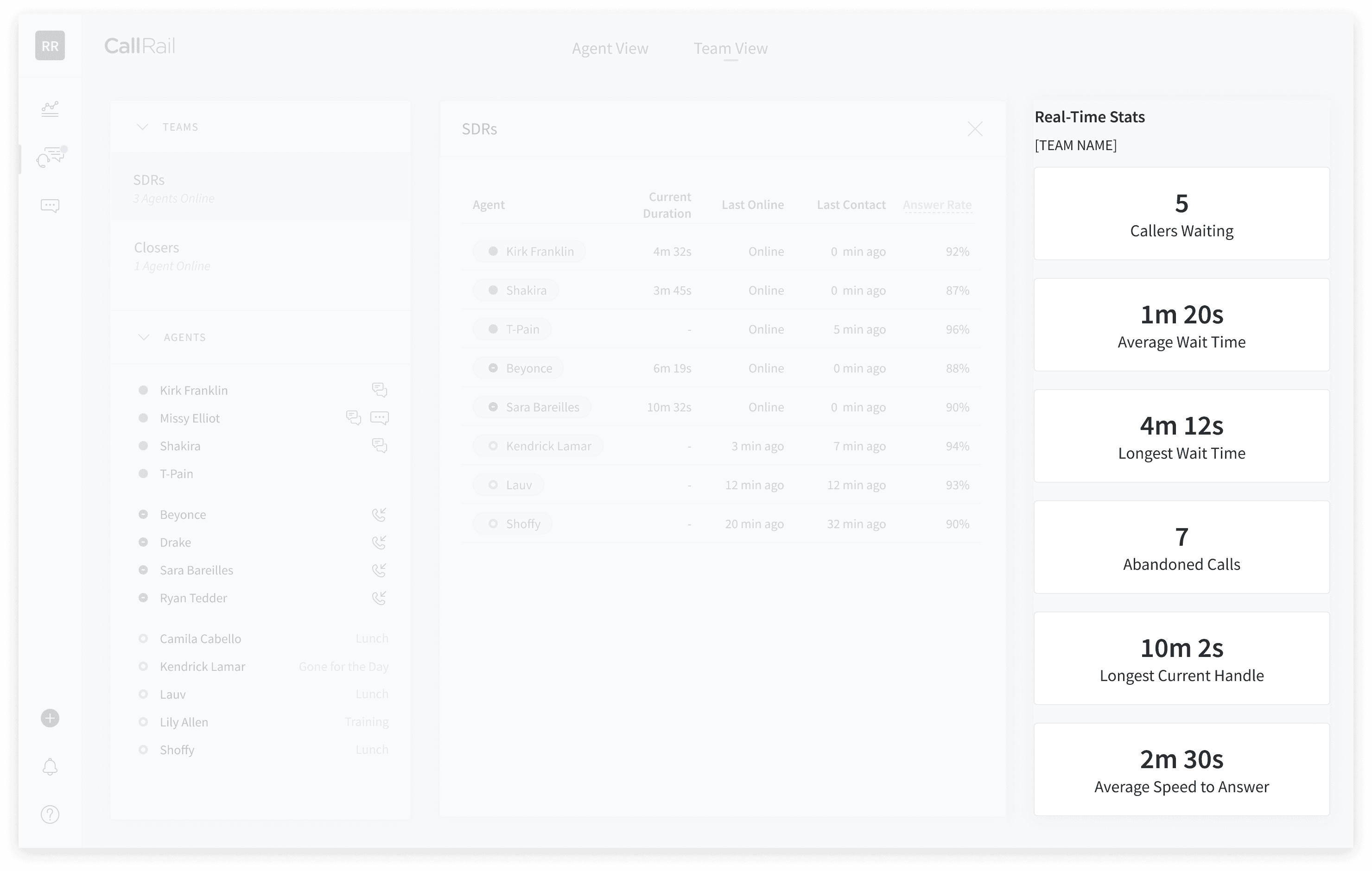
Right Panel is the current call flow is performing and its metrics for that team.
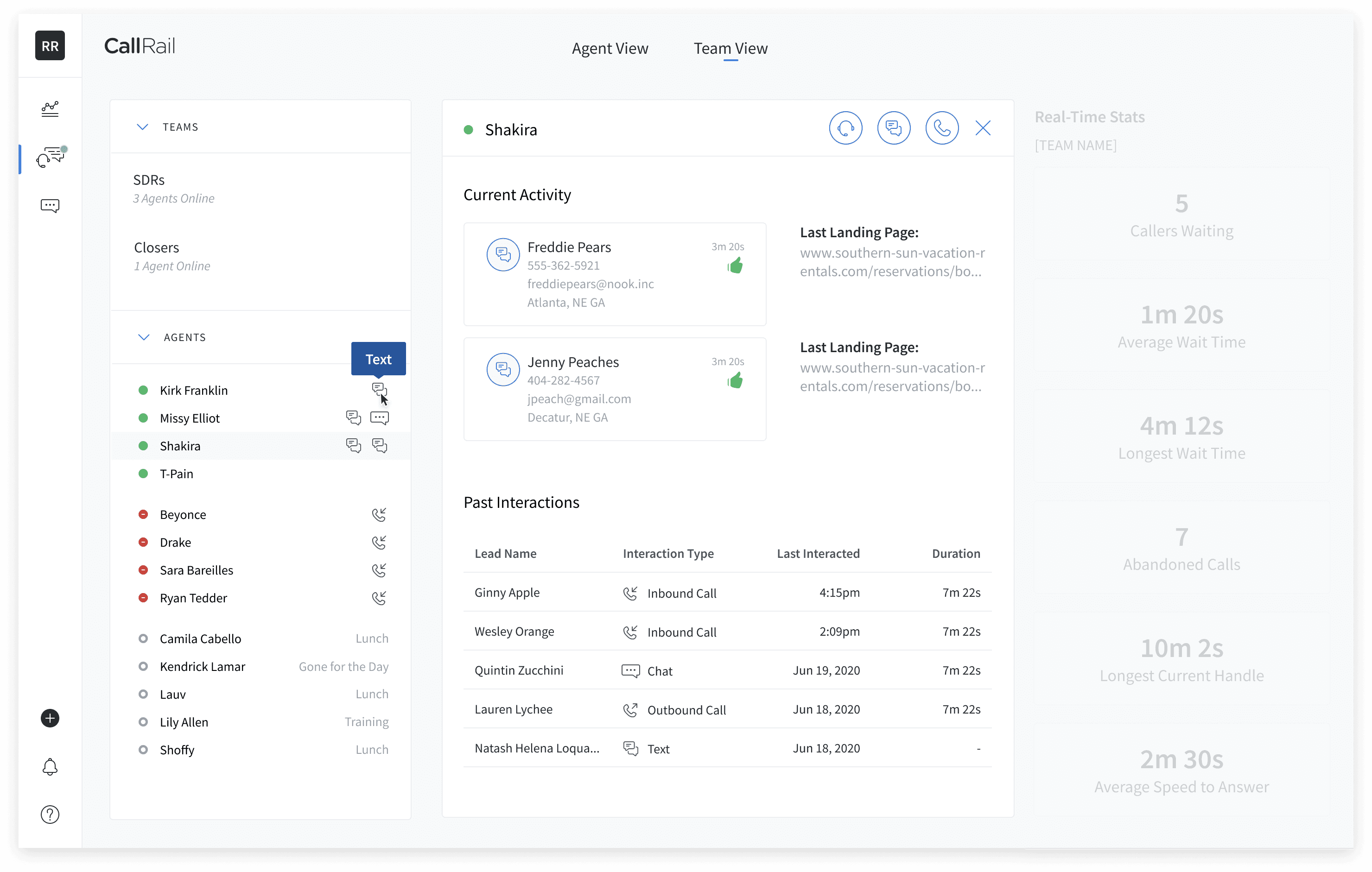
Selecting an agent on the side gives you a view of their current interaction and their past interactions.
Takeaways
A project with a large scope but a lenient direction. The discovery, validation, and test helped narrow the scope and define the direction. One of the most significant thoughts that went into this was, how do you make an overview of agents without putting agents up against each other? It was something other designers, and I felt strongly about. This was another reason why we wanted to go with real-time metrics vs. data-driven performance metrics. There are hopes that this is a view that can be surfaced to all members (regardless of permission status). And if more performance-driven data is needed, admins and managers can access that through our analytics platform.