AI Answers
As AI becomes integral to the tech experience, I led design for a core AI initiative at Help Scout by introducing a new, more delightful way for customers to ask questions and receive helpful answers by leveraging businesses' knowledge bases and resources.
Help Scout
/
Senior Product Designer
/
Oct 2023-Feb 2024
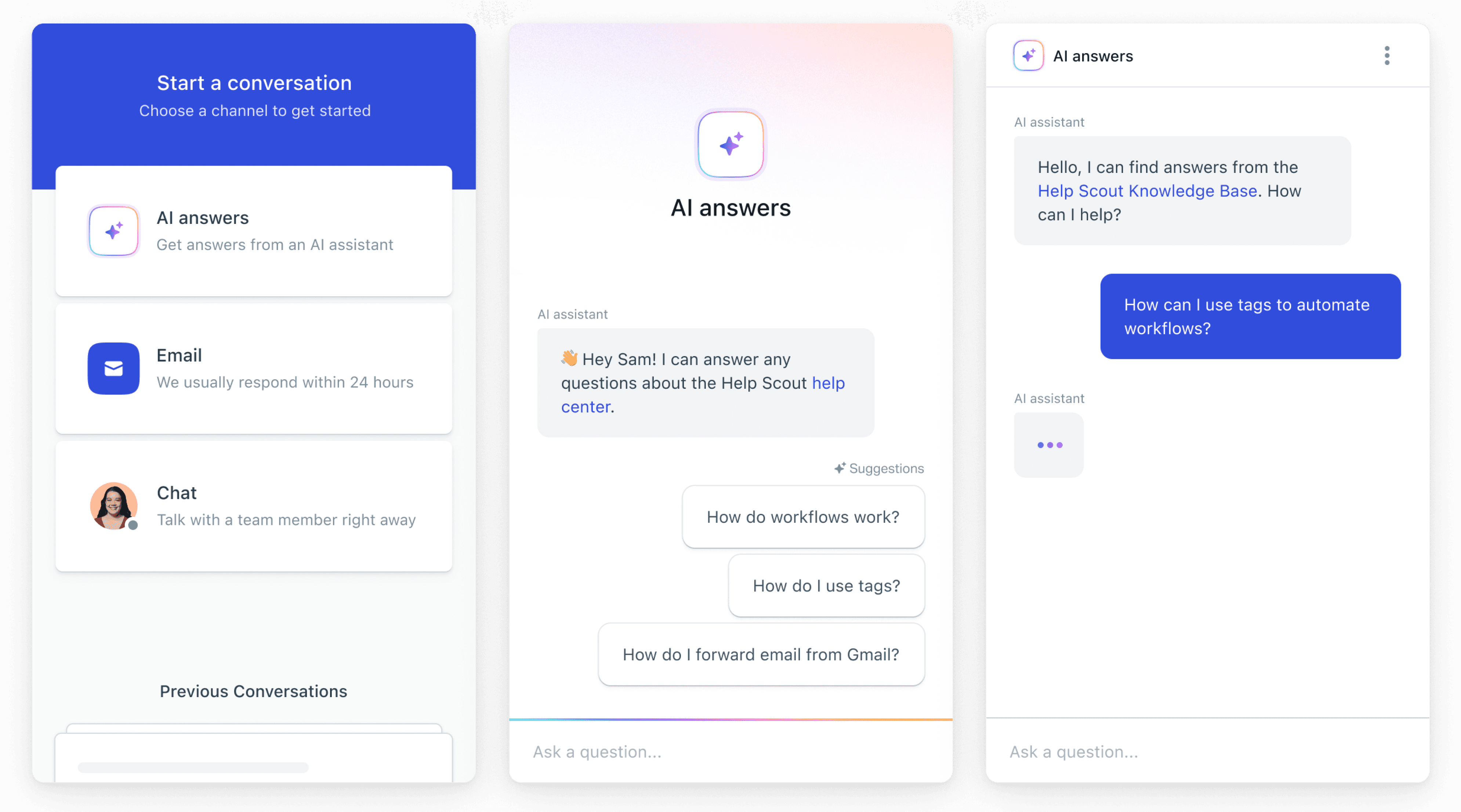
Overview
Help Scout is a customer support platform that helps businesses deliver customer support experiences that delight. As AI rapidly evolved from experimental to expected, a fundamental change was happening with how customers interact with customer support teams and finding the answers they need.
Unlike traditional chatbots that required support teams to map out every possible conversation path (leading to robotic, frustrating experiences), conversational AI opened the ability to understand natural language and respond contextually. No more "I'm sorry, I didn't understand that." or endless loops.

AI Answers was built as a new experience for integrated into Beacon, a FAB (floating action button) which is a first touchpoint many customers would have with our customer’s brands.
This created a core challenges around, How do you make AI feel genuinely helpful without undermining the human-first brand that Help Scout customers care deeply about?


Designing for trust
Three main principles guided in how I approached designing a chat experience powered by AI:
#1
Clearly AI
Brand perception was critical for our customers, and they wanted to make sure their customers always knew they were talking to AI. If someone discovered they'd been chatting with AI after believing it was human, that erosion of trust could damage relationships they'd spent years building.
#2
No dead ends
Every conversation should have a clear path forward. I wanted to avoid the perception of endless loops that traditional chatbots had established. Whether that meant surfacing a better answer, offering to rephrase, or connecting to a human, customers shouldn’t ever feel stuck.
#3
Seamless integration
How do we enable AI using existing workflows? I wanted to understand and find ways to integrate AI into the system support teams already used. It would feel like a natural extension of their work rather than another platform to manage.
This was a large collaborative effort, working with leadership, AI engineers, and a a group of alpha customers who were diligent in giving feedback working along side us to help us move the roadmap forward.
Through these conversations, we learned there's a clear area of opportunity: AI excels at handling the mundane, repetitive questions where answers exist but are hard to find. Complex, nuanced issues requiring judgment and empathy should stay with humans.
This shaped our approach to conversational design. We weren't trying to replace human support we wanted to filter it more effectively.
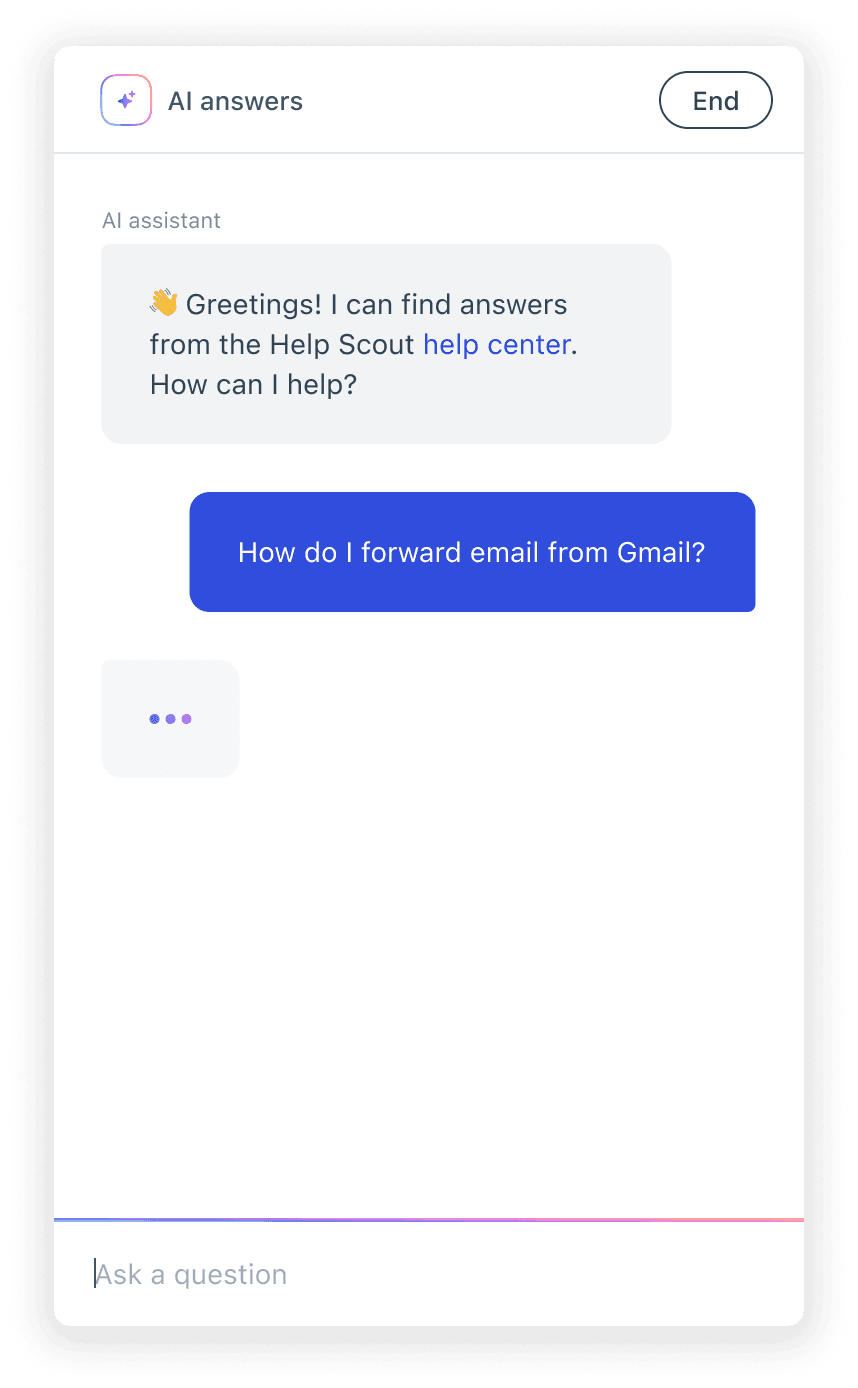
No background
Brand color used to emphasize human (you the user)
Gradient for focused state
AI iconography
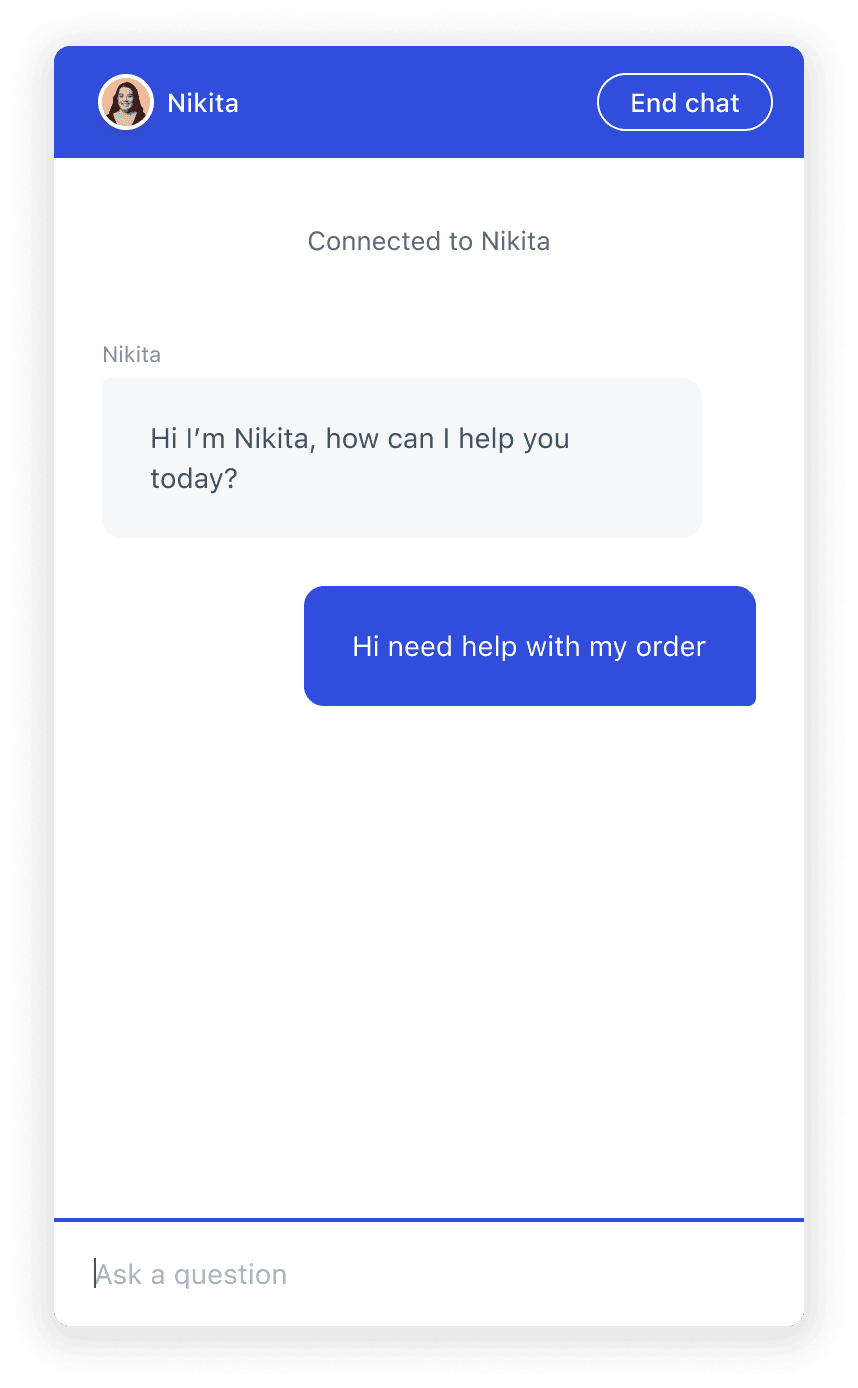
Header changes to brand color for live chat
Human avatar
Input focused state adopts brand color
I used distinct visual identities when chatting with AI vs. a human. Gradients signaled AI conversations, while human channels kept the familiar Beacon brand color to reinforce that human touch.
AI and non-determinism
Instead of sifting through dozens of help articles, users could ask a question naturally and get an answer synthesized from multiple sources. It began to shift the mental modal around how I approach designing for AI vs. traditional SaaS. Non-determinism meant there was a sense of unknowns and skepticism.
This unpredictability meant our customers needed ways to evaluate how AI was communicating with their customers and whether conversations were actually helpful. We had to define what a resolved conversation actually meant and how to measure whether a customer was satisfied.
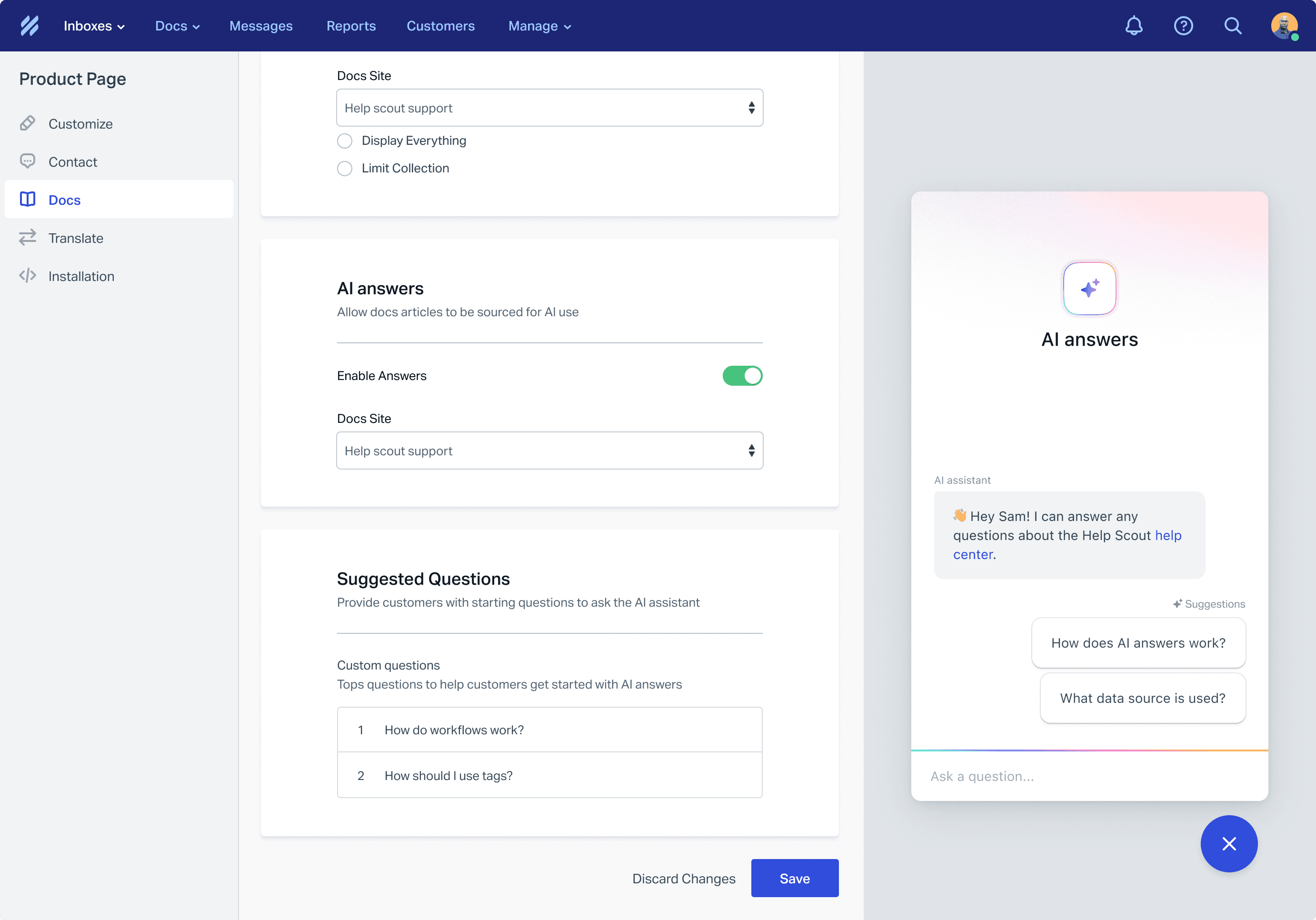
Users can select a doc site they want the AI to source from. They can also add "Suggested Questions" or commonly asked questions customers might ask so they can get started quickly.
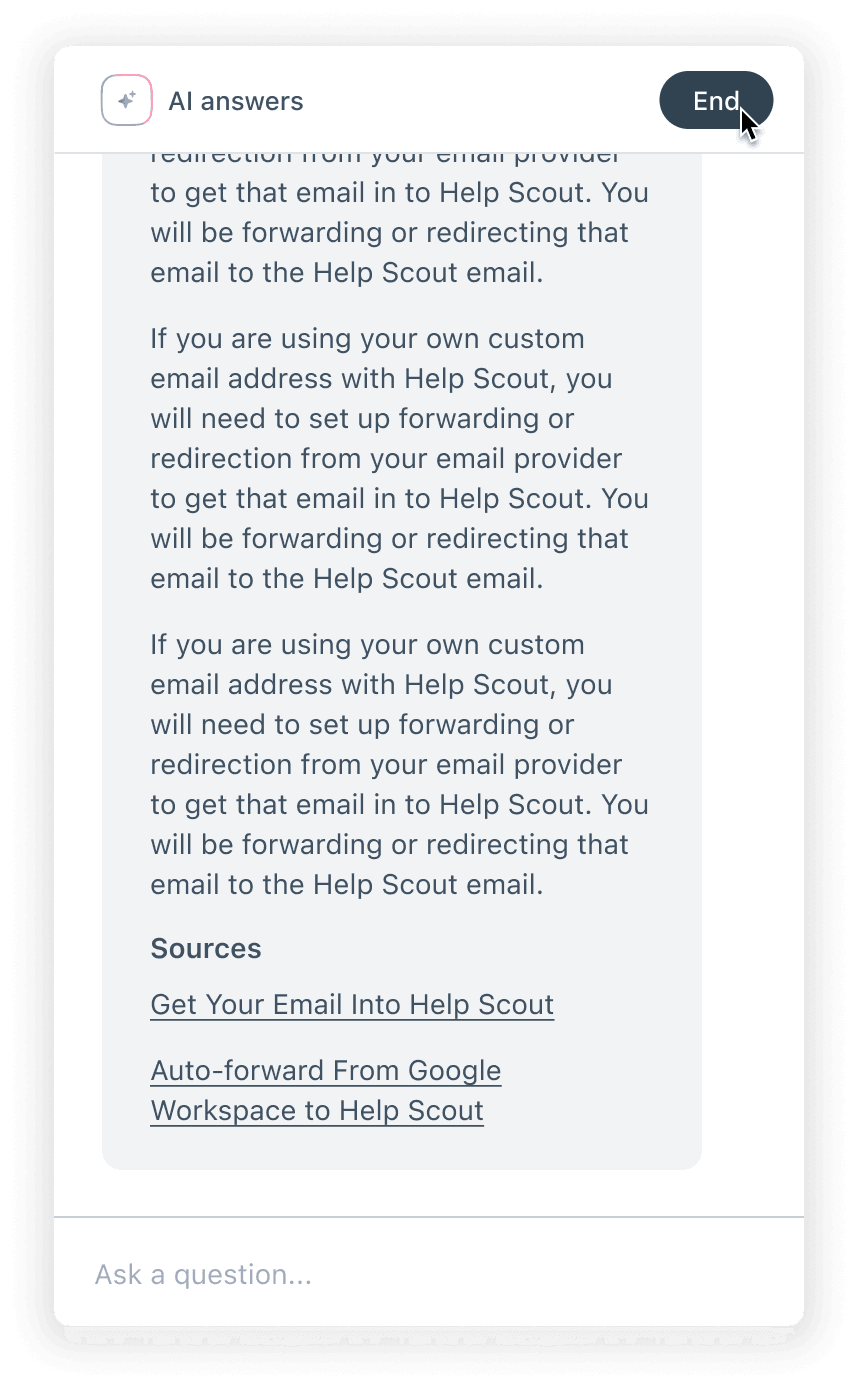
When answers are generated, they will show the doc or source it aggregated its answer from
I learned quickly the quality of the source was a large factor in the quality of the answers. Our customer’s first source used to inform AI Answers was their doc sites (knowledge base). We also ideated on opening it up to include websites they could add themselves, or potentially using there, Inbox conversations, or Save Replies.
Conversational behavior
AI encouraged a natural back-and-forth, building on previous context in ways traditional search couldn't support. This is very different from the classic keyword search.
One of the first challenges we tackled: what happens when someone asks about a topic that doesn't exist in the knowledge base? We leaned into transparency where the AI would clearly state the topic wasn't covered and encourage the user to try rephrasing or ask something else.
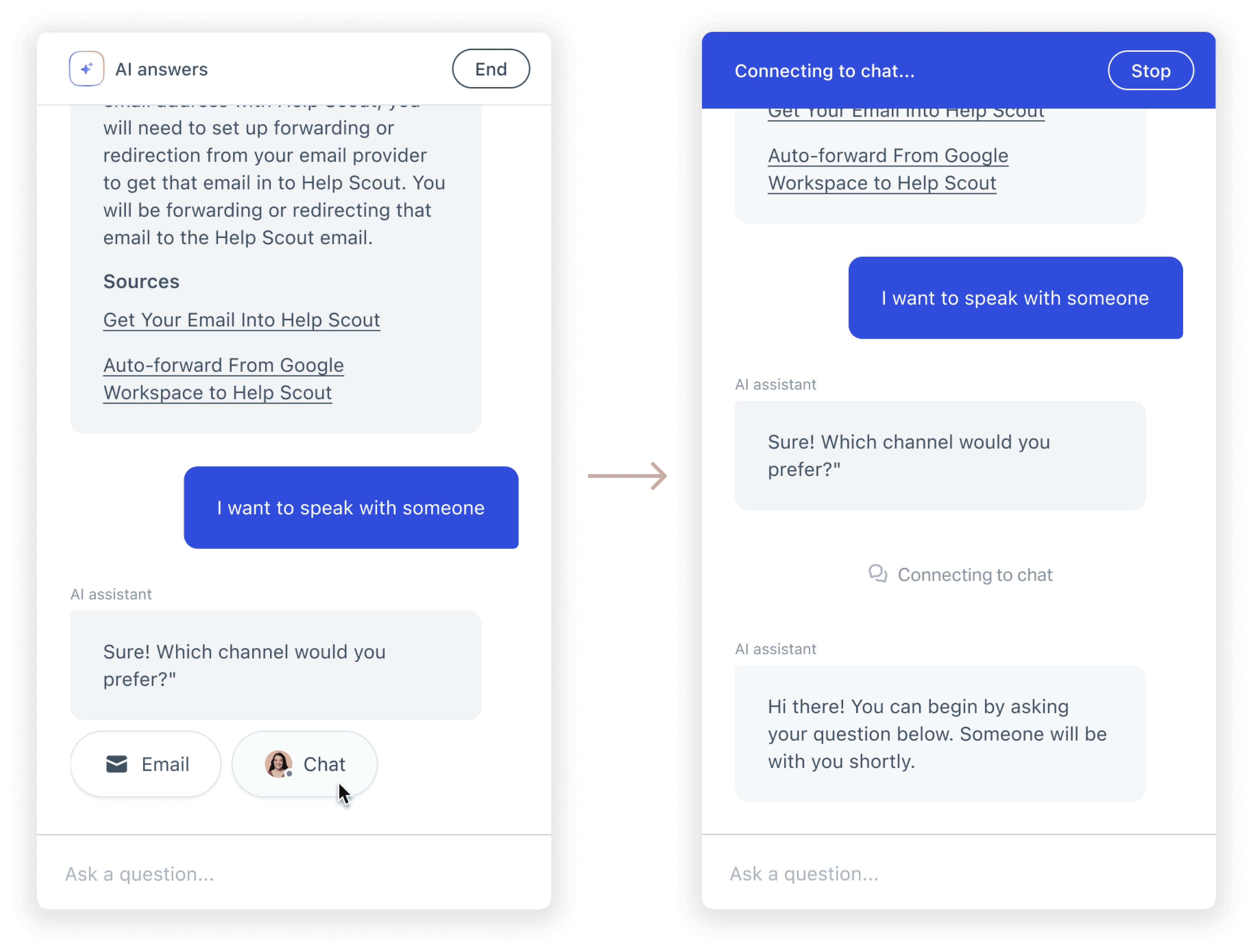
From AI chat to live chat
Lack of information was another potential escalation point. If the AI couldn't help after a few exchanges, options to connect with a human through email or live chat surfaced so users never hit a dead end. I discussed with our engineers surface escalation options immediatey if AI to detected explicit requests like "I want to talk to someone" or "let me speak to a human." In those moments, it was clear the user wasn't interested in continuing with AI.
Are customers satisfied?
One of the trickiest problems was figuring out when a conversation actually ended and whether the end customer felt like it was resolved.
Some scenarios were straightforward: if someone escalated to a human (via email or live chat), resolution was now in human hands. My initial approach was to surface an "End" button for users who were done, and they could rate the interaction afterward. This was a pattern I noticed we used for the live chat experience, and wanted to see how it would work for an AI chat. Once a chat ended, a user could rate their experience, which would tell us if the conversation was successful.
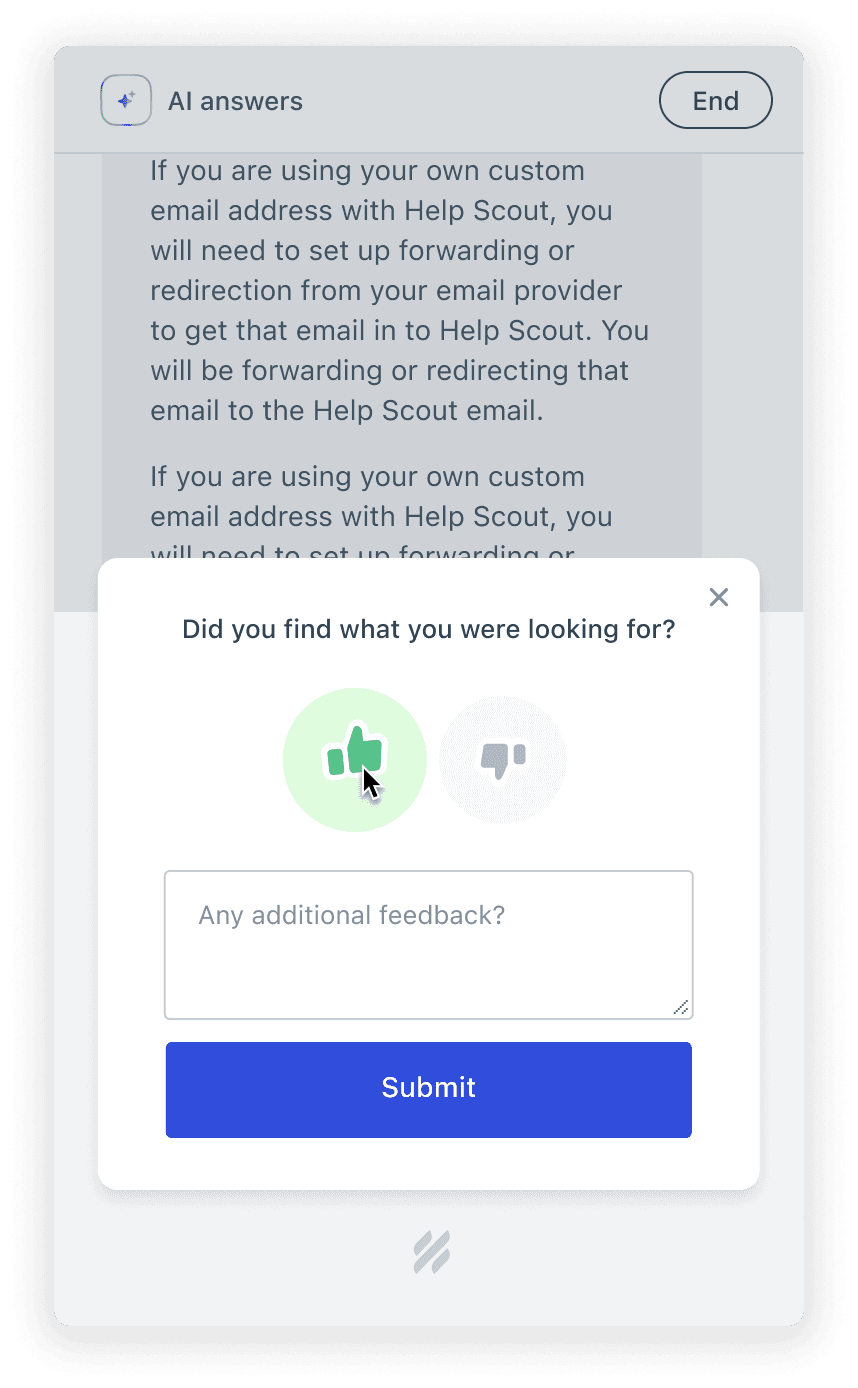
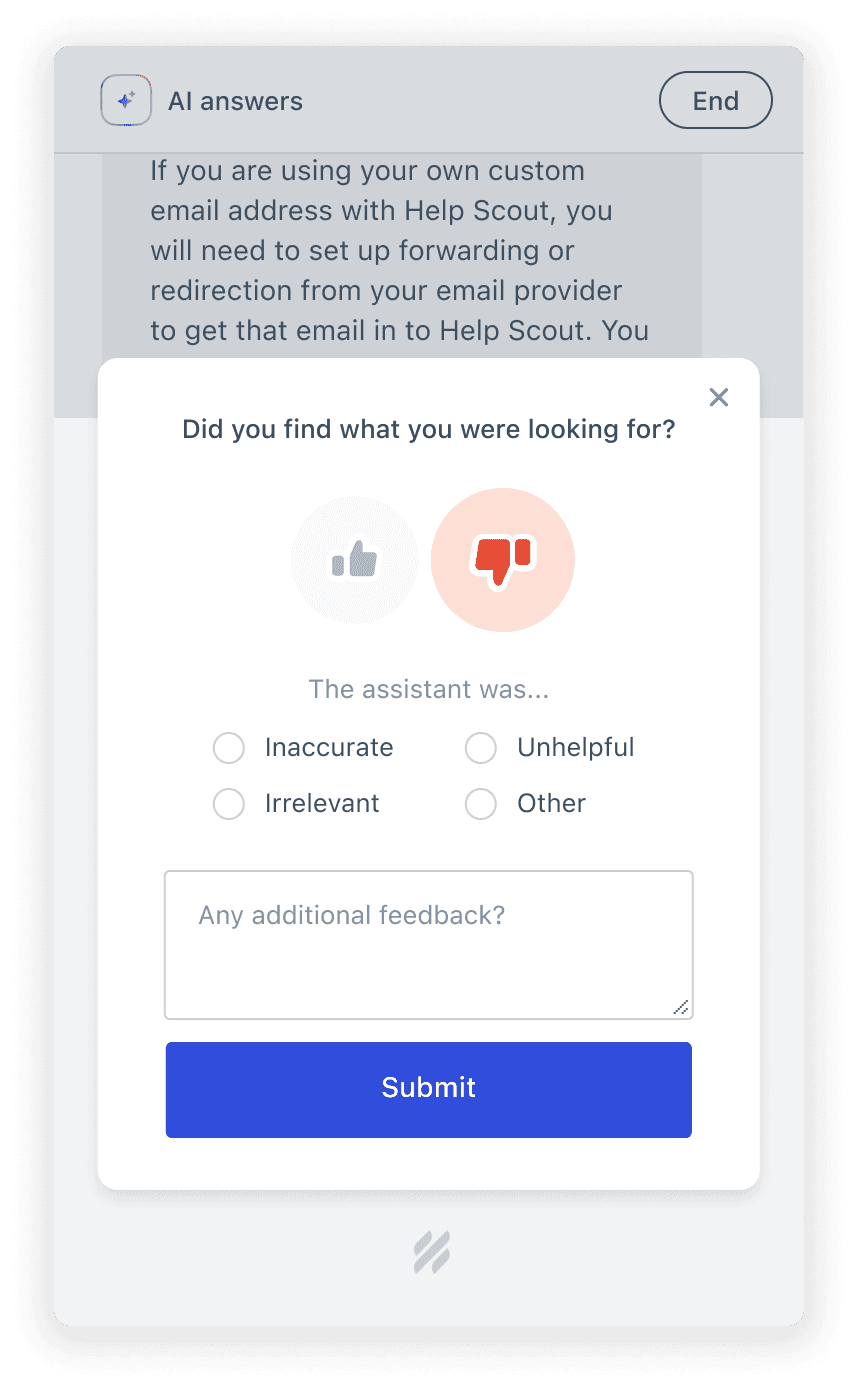
In practice, ratings reflected user sentiment more than AI performance. Someone might give a low rating because they were frustrated about the underlying issue not because the AI failed to help.
The hardest scenario was when users simply closed the chat window. Did they leave satisfied or did they give up in frustration? The first pass I settled on a 15-minute idle timeout. If the user didn't return, we marked the conversation as resolved, but we knew this was imperfect. Some of those conversations likely ended in frustration, not satisfaction.
It became apparent, I needed to dive deeper into what actually defined a "resolution". Was it the right metric to gauge AI performance, and whether the approach to measuring it needed to evolve.
Visibility into AI's performance
Due to AI’s uncertainty, visibility into AI conversations became essential. Support teams needed a way to understand how AI was performing, where it was struggling, and how they could hop into mitigate any jarring issues.
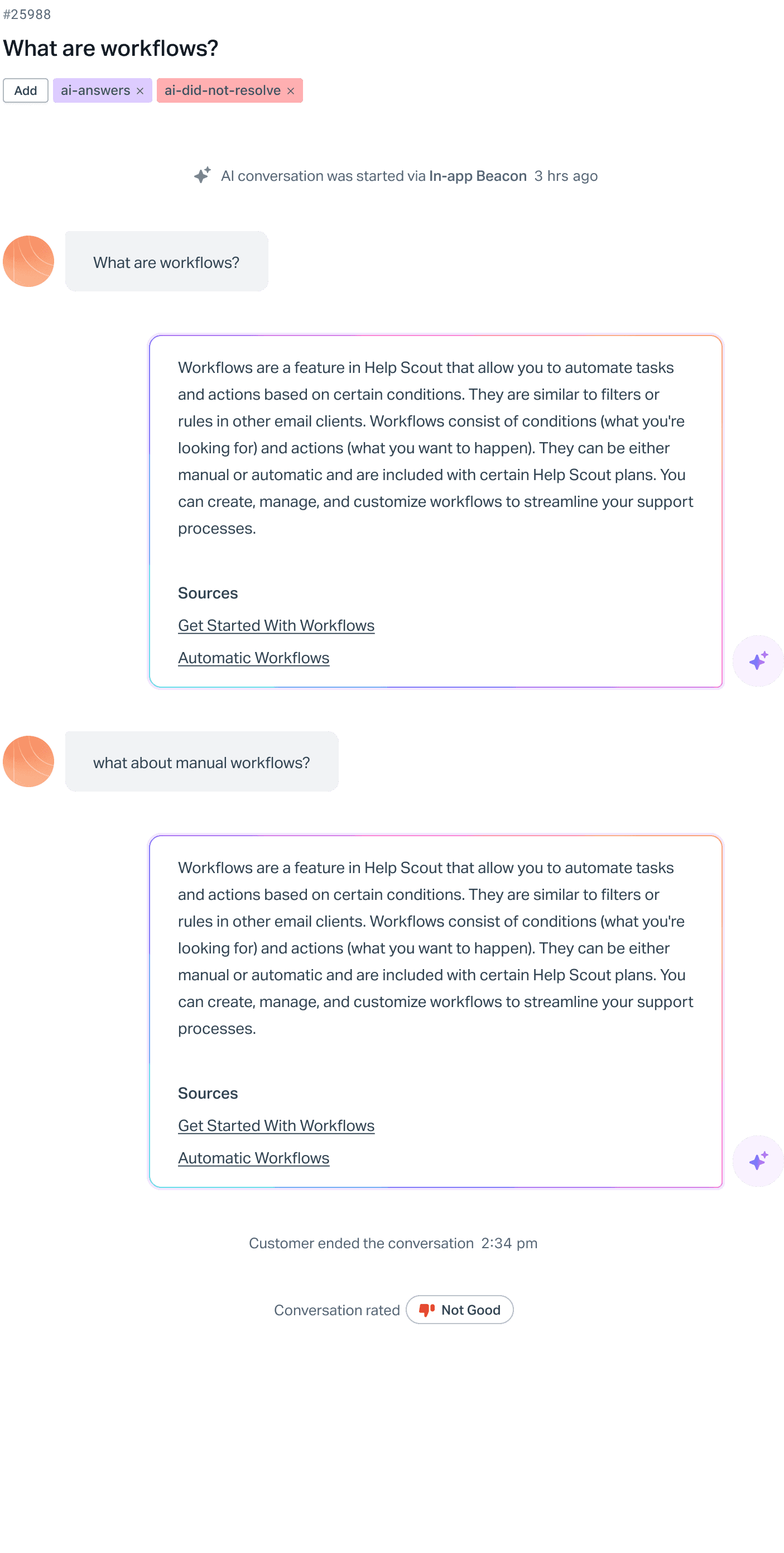
We integrated AI conversations directly into the Help Scout Inbox, the same place teams already reviewed emails and chats. AI conversations are automatically labeled so teams can filter and review them alongside their other support channels. This meant teams didn't need to learn a new tool or navigate to a separate reporting dashboard. AI conversations became like other communication types, and team members were just reviewing “another teammates conversation”.
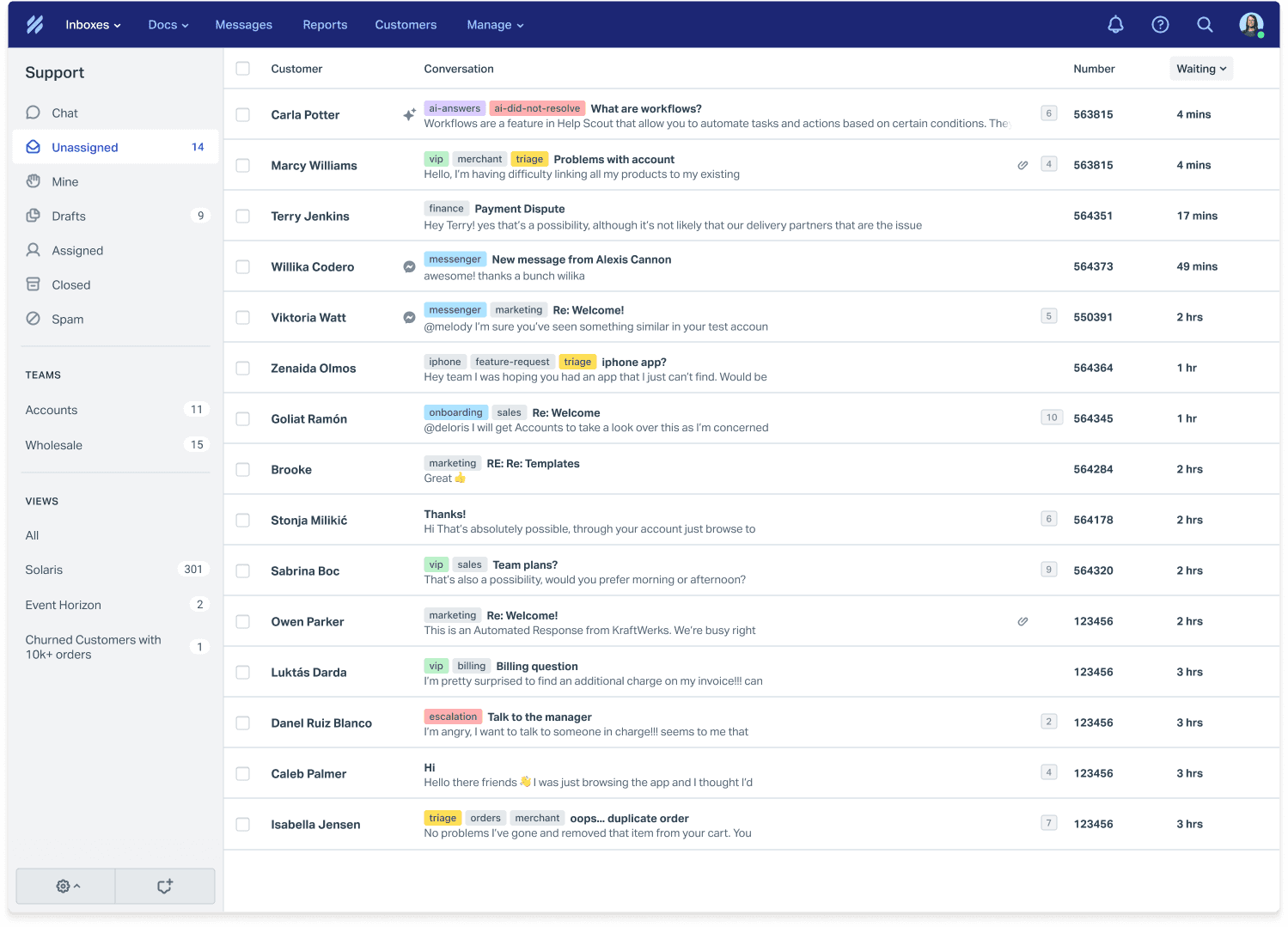
In the early days of AI Answers, this meant a lot of manual reviewing. Teams would read through conversations to spot patterns where the AI struggled, where answers were off, where knowledge base gaps existed.
I understood it took a lot of work, but it visibility was more important as the main priority. It gave teams direct insight into what needed to improve and what changes they could make to their knowledge base to improve AI responses.
Beacons
New Beacon
Last 7 days
Engagement
sessions
1,318
Docs search
AI answers
Send an email
Live chat
AI answers
sessions
671
Resolved
Did not resolve
No feedback
Human escalation
Outcomes
This project was a really fun and collaborative experience with our alpha group. We shared work early in a dedicated Slack channel, hopping on feedback calls, and iterating based on their real-world needs. This approach helped us shape a product that actually fit into support teams' workflows.
The results showed the value of that partnership:
61%
Self-service conversations started with AI Answers
20
Additional businesses onboarded
25%
Reduction in support volume for early adopters
Customer quote:
"I just wanted to say that AI Answers has been an awesome addition to our CX setup. I was looking at our monthly numbers and it's dropped our support rep volume by 25%. That's freed us up from the repetitive questions that our customers usually have, especially in the early trial days."
Head of Customer Support
A few closing thoughts...
AI is fundamentally changing how people interact with technology. This project demonstrates how I approach designing for that shift from deterministic search patterns to conversational, context-aware experiences.
My takeaways
Working on AI Answers taught me that designing for non-determinism requires a different mindset than traditional SaaS design. In most products, you design for predictable inputs and outputs. With AI, instead of designing for specifications, you’re looking for general themes and outcomes. People can ask questions in a 20 different ways and sometimes might get answers that are perfect, partially right, or completely off.
This showed me how AI lends itself to think more for workflows and not just UI. The real design challenge wasn't the chat interface itself, but understanding how AI conversations fit into the broader support ecosystem, how teams would monitor and improve performance, and how to build trust when you can't guarantee perfect outcomes every time.
It reinforced that good AI product design is about the systems, safeguards, and human touchpoints you build around it.