Waitlist
We were in the midst of exploring how we could expand our product offerings to our restaurant clients. I was the sole designer for both desktop and mobile experiences and led the introduction of a new product offering for front-of-house solutions.
Popmenu
/
Product Designer
/
Jan - Jul 2021
Overview
Popmenu is an all-in-one marketing and growth engine for independent restaurants. We build the digital ecosystem restaurants need to grow their brand and presence.
As Popmenu looked to expand its product offerings, we saw an opportunity to enter the front-of-house space with waitlist and reservation tools. The market has plenty of established players (i.e. OpenTable, Resy, Tock etc.) but we weren't interested in simply replicating what already existed.
The question we focused on was, how could front-of-house tools fit into Popmenu's ecosystem in a way that created real value for our clients? The greatest value point was the ability to capture customer data from brick-and-mortar interactions. This was more than just creating a tool to manage guests. It was a way to connect in-person experiences with Popmenu's marketing and engagement tools.


Finding our niche in a crowded market
The front-of-house space offered plenty of options for restaurants, but I wanted to understand where Popmenu could add unique value. We knew we couldn't just build another complex waitlist and reservation system.
I mapped out the connections a new front-of-house system could capture guest information during in-person interactions and show the value of those connection points into Popmenu's marketing tools, online ordering, and loyalty programs.

My team focused in on introducing Waitlist first because reservations and table management required more discovery and introduced deeper complexity. Waitlist had a clearer scope and a faster path to delivering value. We could learn from real usage, gather feedback, and use that foundation for whatever came next.
Additionally, through conversations with clients, a clear opportunity emerged when defining our ICP. We had a substantial base of small to mid-sized restaurants still using whiteboards and clipboards. These weren't businesses managing hundreds of covers with complex seating algorithms. They needed straightforward tools that worked without adding overhead.
Designing for hosts on their feet
The first design direction focused on web. Initially I was focused on the resources we had to build quickly and leveraging existing product patterns. I drew inspiration from Popmenu's ordering interface since orders also had statuses and similar interaction patterns.
But when we tested these designs on Maze, the feedback showed there was a gap. Since we were introducing a new product area, we were encountering new workflows and introducing a new user type into the product experience: hosts
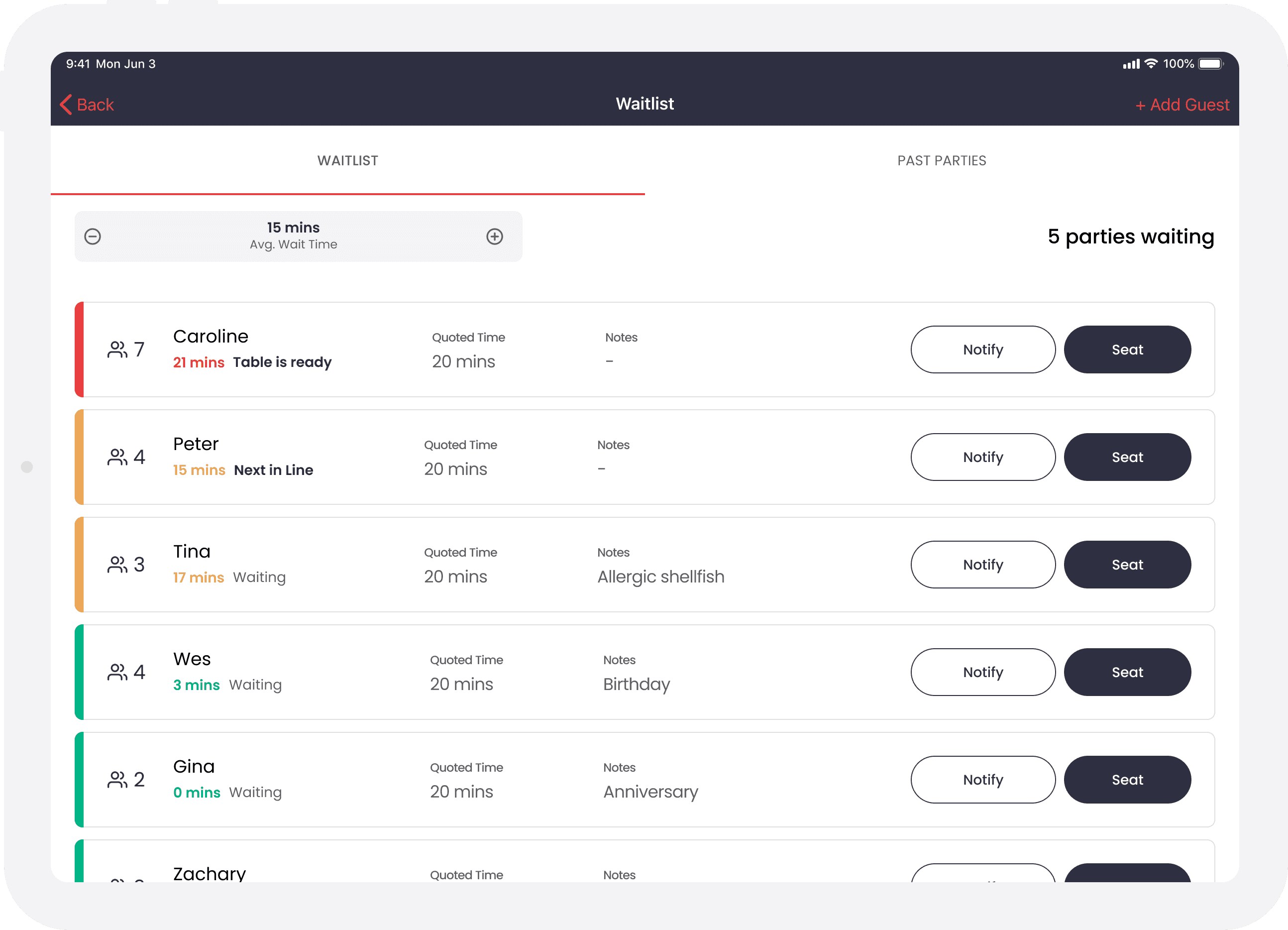
Tablet UX
List vs. Table
Large buttons that account for finger tapping vs. mouse clicking
Easy scanability of core information (name, wait time, quoted time, and any notes)
Notify = activates next text message in sequence
Seat = party is seated at a table
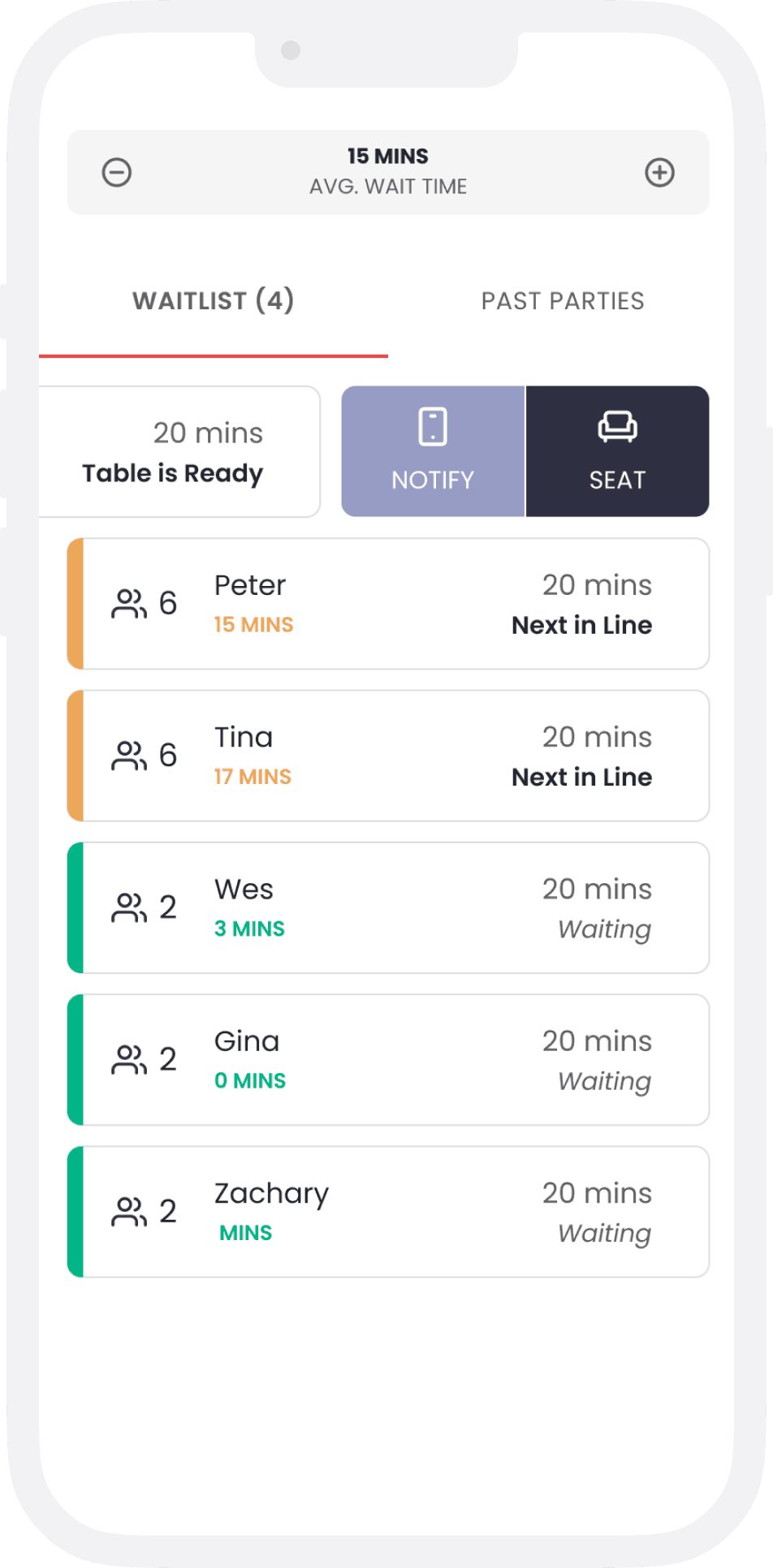
Hosts are a more specialized role. They are on their feet greeting guests, seating them at tables and checking on the floor. Many were using pen and paper, tools that are easily accessible to bring around with them. It became clear we needed to pivot to mobile-first experience, specifically a tablet-first experience.
Managing the list
One of the first challenges was figuring out the mechanics of the list itself. How should guests be ordered? What wait time levels made sense? What statuses did hosts actually need to see at a glance?
List logic
The list was order with the most recent at the bottom of the list and the longestest waiting at the top of the list. Each guest was given a "quoted time" or an estimate of how long they'd have to wait before they were seated. From there, the status of each party was calculated based off the quoted time given to the guest:

Red: The party's wait time equals or is greater the quoted time

Orange: The party's wait time and quoted time are within 5 mins of each other

Green: The party's wait time and quoted time aren't close
Keeping guests engaged
With any waitlist, guests will have some kind of wait time. I wanted to build a message cadence that wasn't only practical (i.e. letting guests know their status on the list), but also encouraged guests to engage with the restaurant digitally.
24px
4
24px
Tina
0 mins
8px
Waiting
96px
Quoted Time
20 mins
96px
Notes
Allergic shellfish
Notify
Seat
24px
Today, 5:30 PM
You have been added to the Old Style Kitchen waitlist. Please call 404-123-5431 if there are any changes to your party.
Added to the list
Guest receive a confirmation text they've been added to the list.
Browse the menu
Next on the list
Table is ready!
Leave a review
Customer quote:
"Our guests really enjoy the digital waitlist—it definitely helps keep them engaged while they’re waiting for a table. We’ve seen a huge increase in traffic to our website along with additional reviews being placed—especially on the weekends, we’re getting multiple reviews coming through during busy dinner hours."
Marketing Manager
On and off-premises guests
In the next iteration of the Waitlist, guests could add themselves online. Popmenu clients already get an integrated website and so we added a component to the website builder so they could easily introduce this functionality to their guests.
This opened up new convenience for hosts and diners, but it also created an interesting challenge. What happened to guests that signed-up on the website, but they were 30 minutes away from the restaurant? If we treated them the same on-site guests, we'd be holding tables for people who weren't even there yet, creating frustrating bottlenecks for both hosts and guests who were actually on-premise.
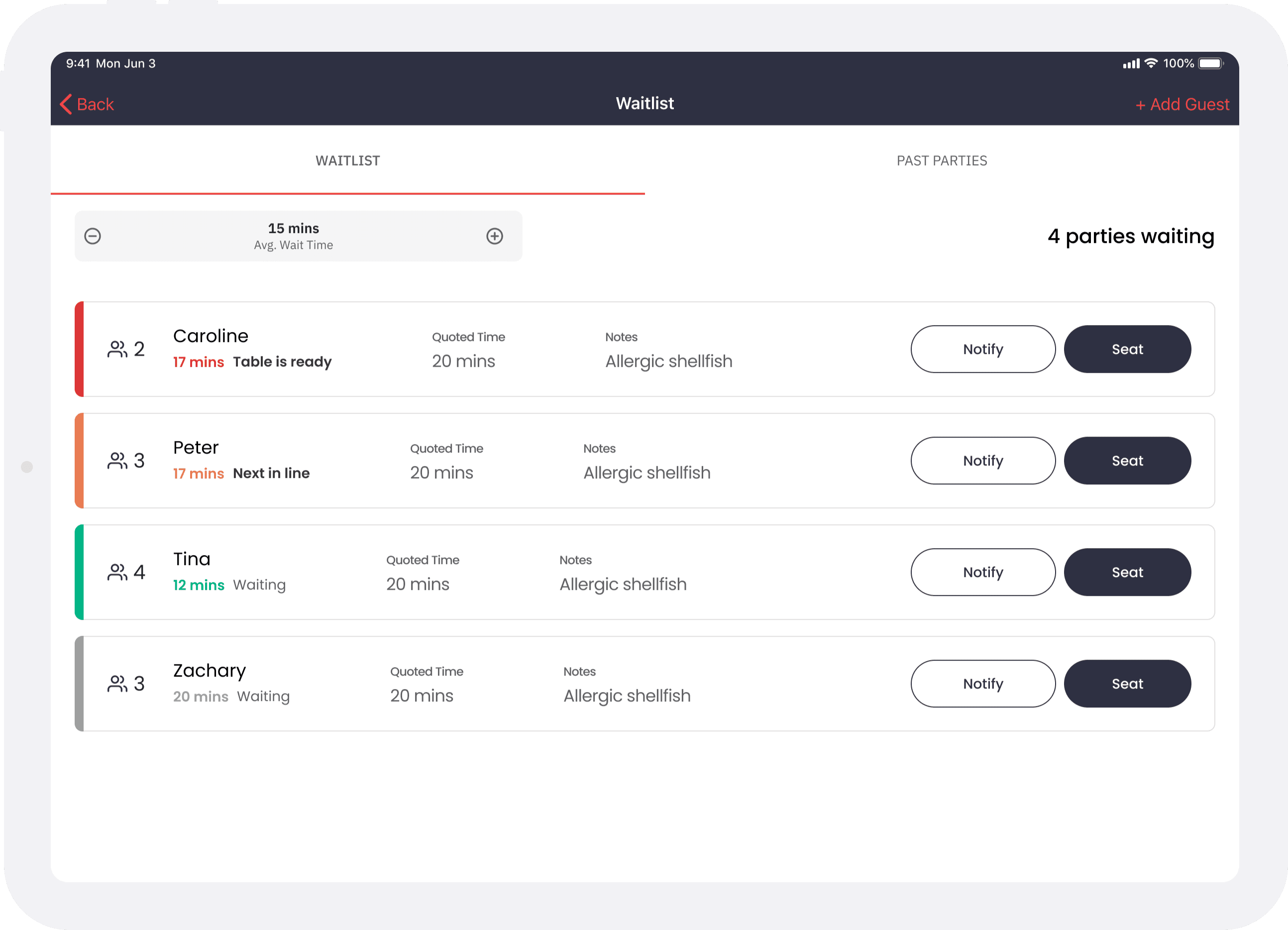
Pending status
The party will need to confirm with the host/ess at the front they are here.
The host will then "check-in" the party
Once checked in, their status will change to one of the 3 states based on their waiting time
We solved this by introducing a "pending" status. Guests who joined online stayed in pending until they checked in at the host stand. This gave hosts the flexibility to prioritize guests who were physically present while still managing the overall flow of their waitlist.
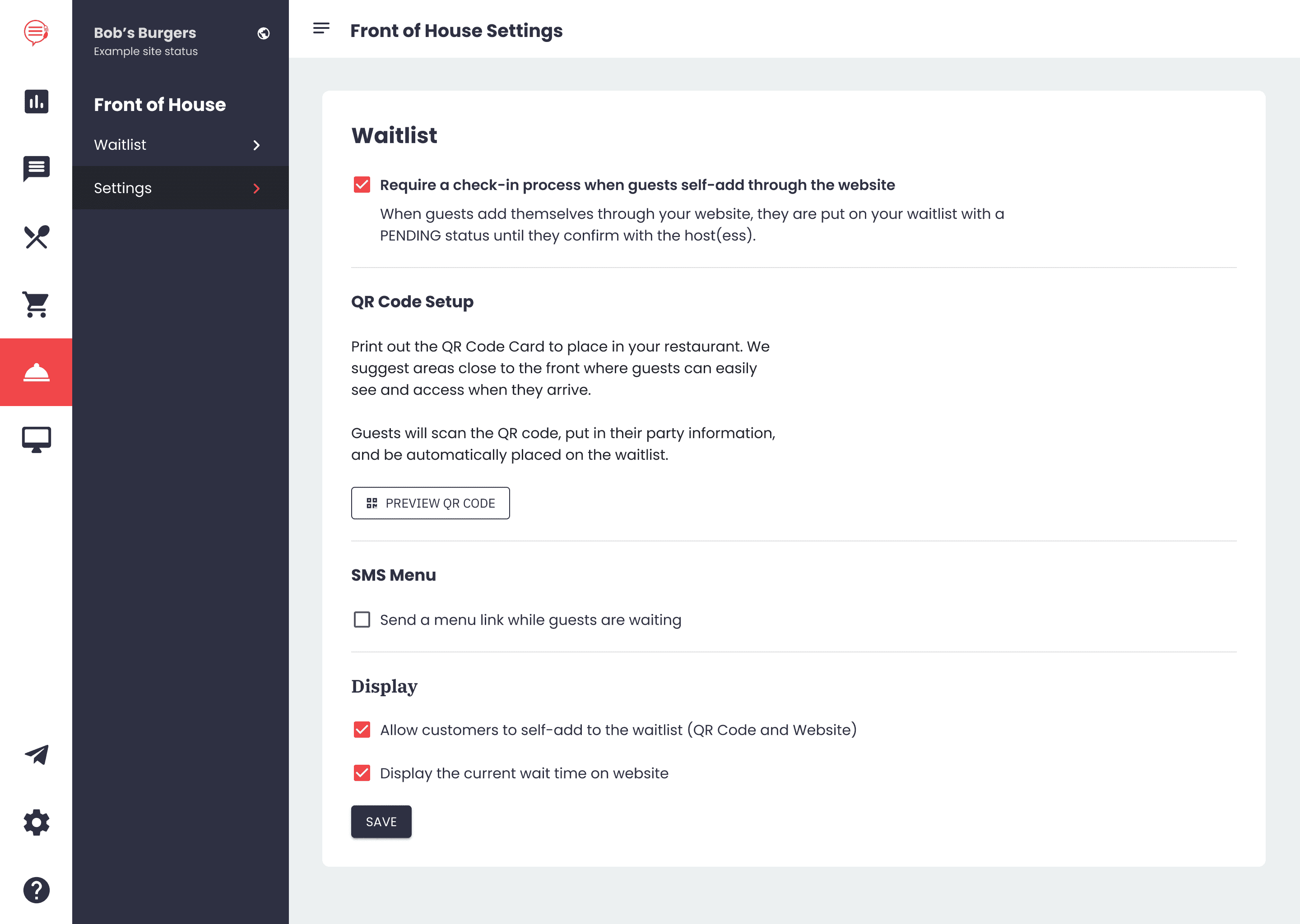
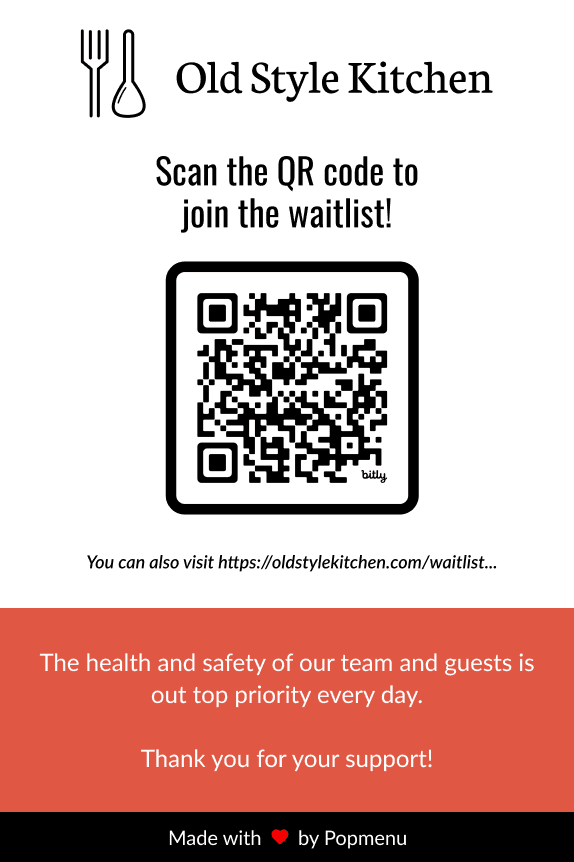
We also gave restaurants the option to print a QR code that linked to their waitlist. They could print these out and display at the front of their restaurant so guests who walked in could immediately add themselves if the host was busy managing something else.
Outcomes
Within the first three months after launch, our top 10 restaurants using Waitlist seated over 10,000 parties. The strong adoption showed that we'd identified a real need and built something that genuinely fit into restaurateurs' workflows.
Takeaways
I was able to work through the full end-to-end experience and leverage strategic product thinking. Not only did I focus on "what should we build" but "who should we build it for and why." Ecosystem thinking shaped how waitlist could bridge in-person and digital experiences helped us find our unique value beyond just matching competitor features.
Leaning into user context also fundamentally changed the product direction. Once I realized we were introducing a new user type (hosts) who work on their feet, shifting to a mobile-first pivot became clear. The best solution fit into their actual workflow.